







Contact follow-up reminders
Never forget to
follow up with a contact
Set a follow-up reminder on any contact in ContactsPlus, give it a due date, and let it nudge you before it’s due — then push it to your calendar. Part personal CRM, part to-do list, tied to the people it’s about.
Free to try, then part of Premium & Teams — see plans
At a glance
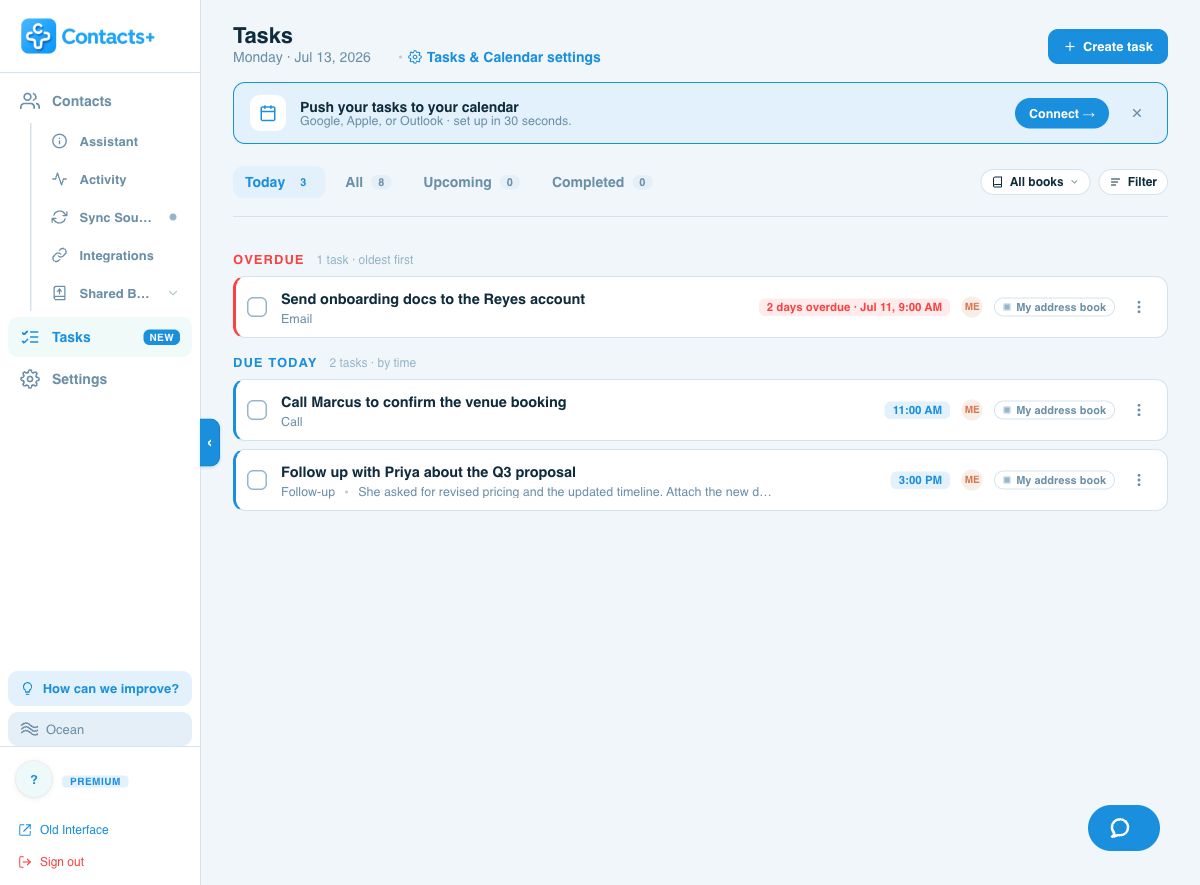
Contact follow-up reminders in ContactsPlus let you attach a task to any contact, set a due date and reminder, and organize everything into Today, Upcoming, All and Completed views. One-click snooze, filters and one-way calendar sync to Google, Outlook and Apple keep every follow-up on track, while shared address books turn it into a team to-do list with reports and a daily digest email.
- Contact-linked or free-standing tasks, with types like Call, Email and Follow-up
- A prioritized Today view: overdue first, then due-today
- One-click snooze, reminders, and filters
- Push to Google, Outlook or Apple Calendar — on by default for timed tasks
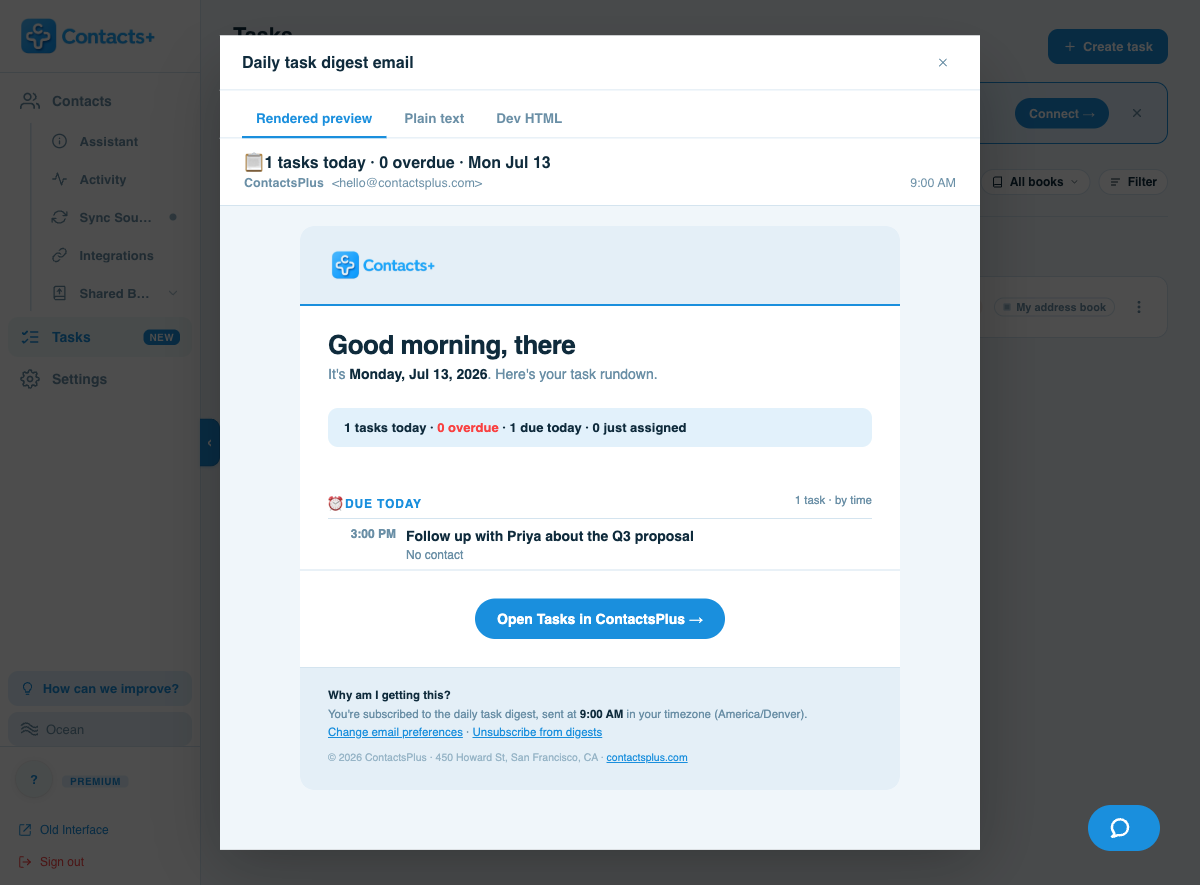
- Team sharing, permissions, branded reports and a 9 AM daily digest
Capture in seconds
Add a task without breaking your flow
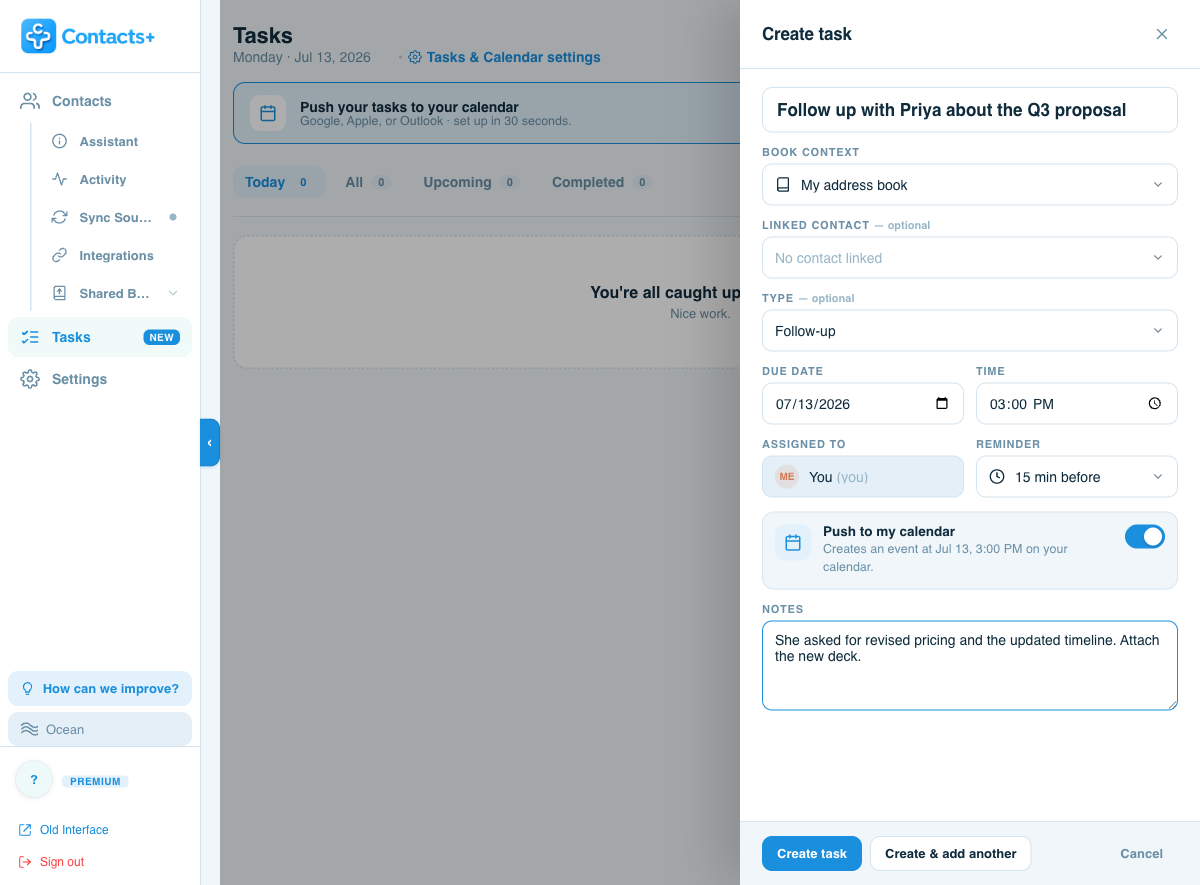
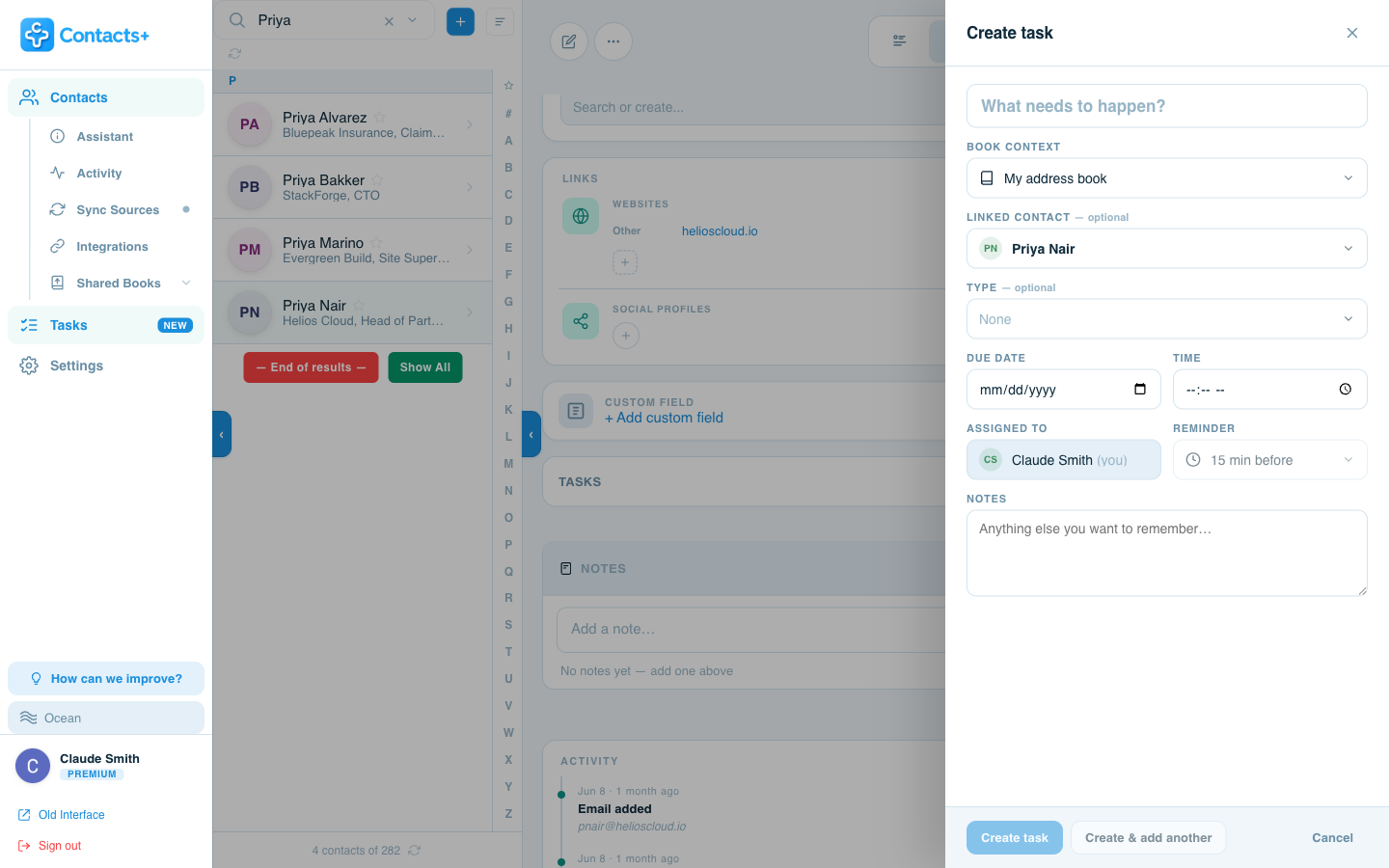
A single slide-over captures everything — and nothing you don’t need. Give it a title and you’re done; add the rest only when it matters.
Everything on one panel
Title, an optional linked contact, a task type, a due date and time, who it’s assigned to, a reminder, and notes. Hit Create — or Create & add another to rattle off a whole list.
- Link a contact so the task lives with the person it’s about
- Types — Follow-up, Call, Email, Meeting or Other
- Reminders default to 15 minutes before a timed task
- Add a due time and a Push to my calendar toggle appears — already on
A view for every moment
See only what matters right now
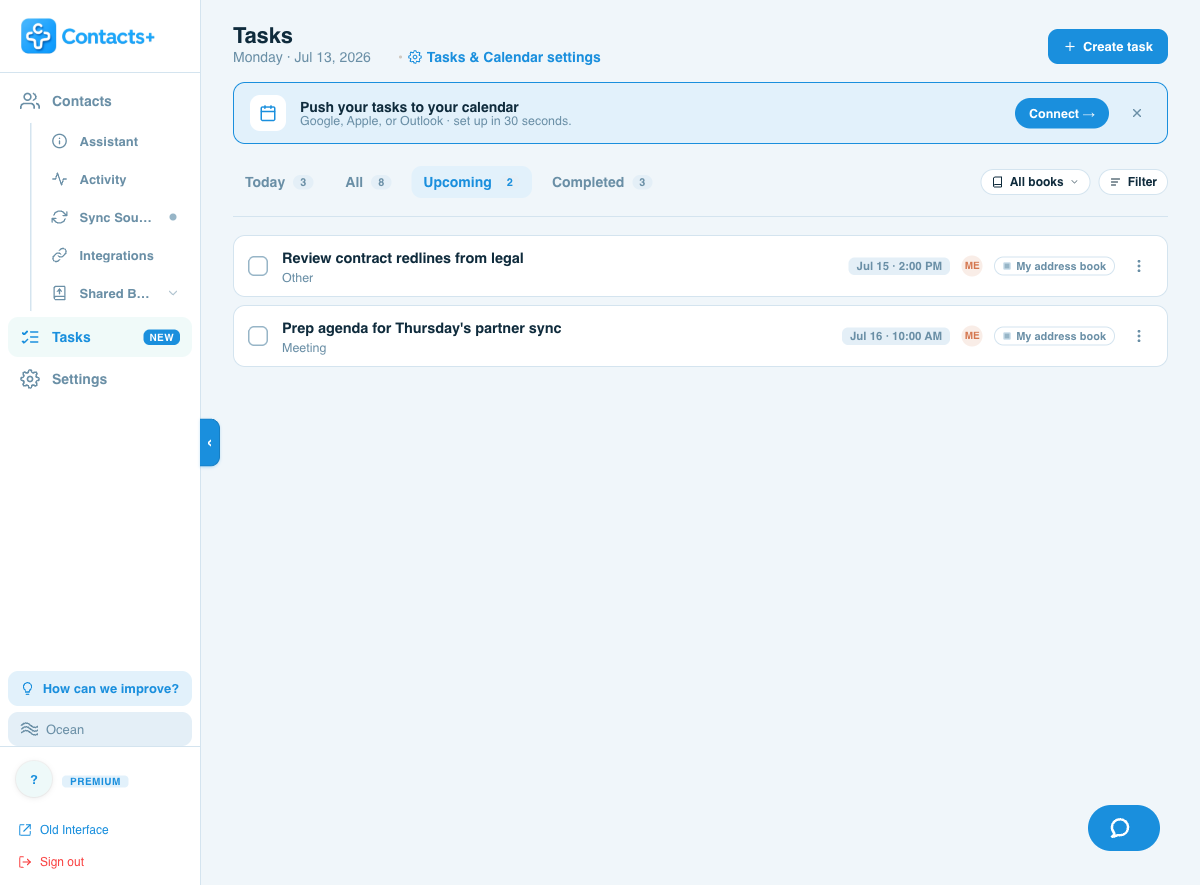
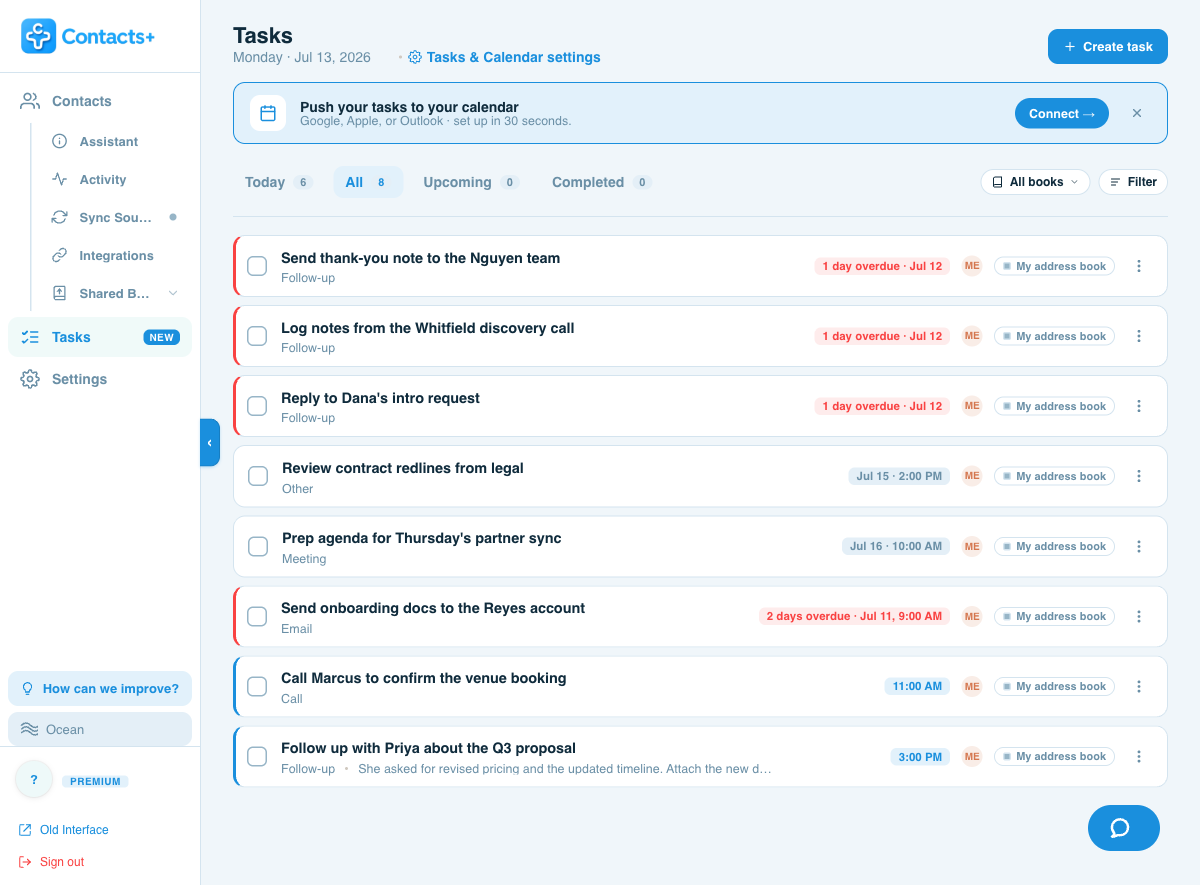
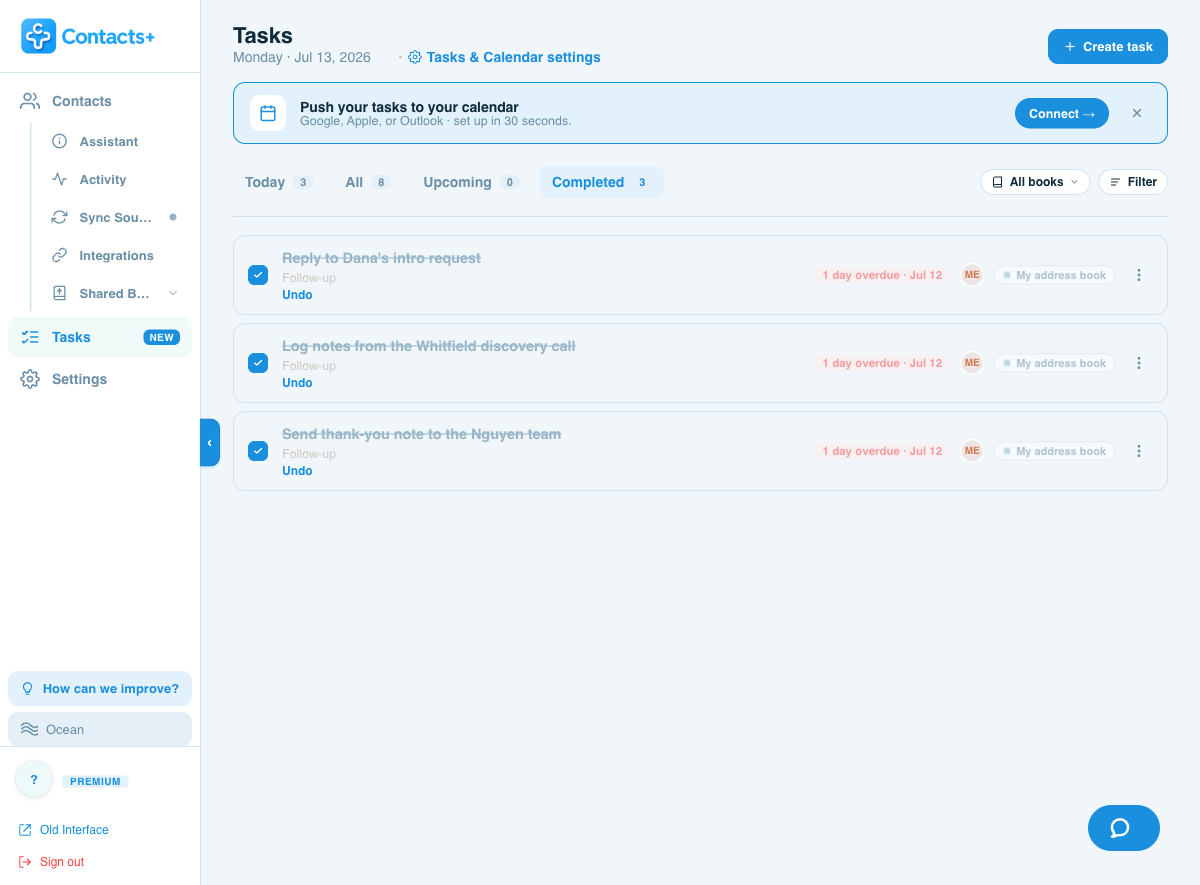
Four views, each with a live count in the tab. Today is deliberately opinionated: overdue tasks surface first, then everything due today, sorted by time.
Never lose the thread
Reschedule, filter and act in one click
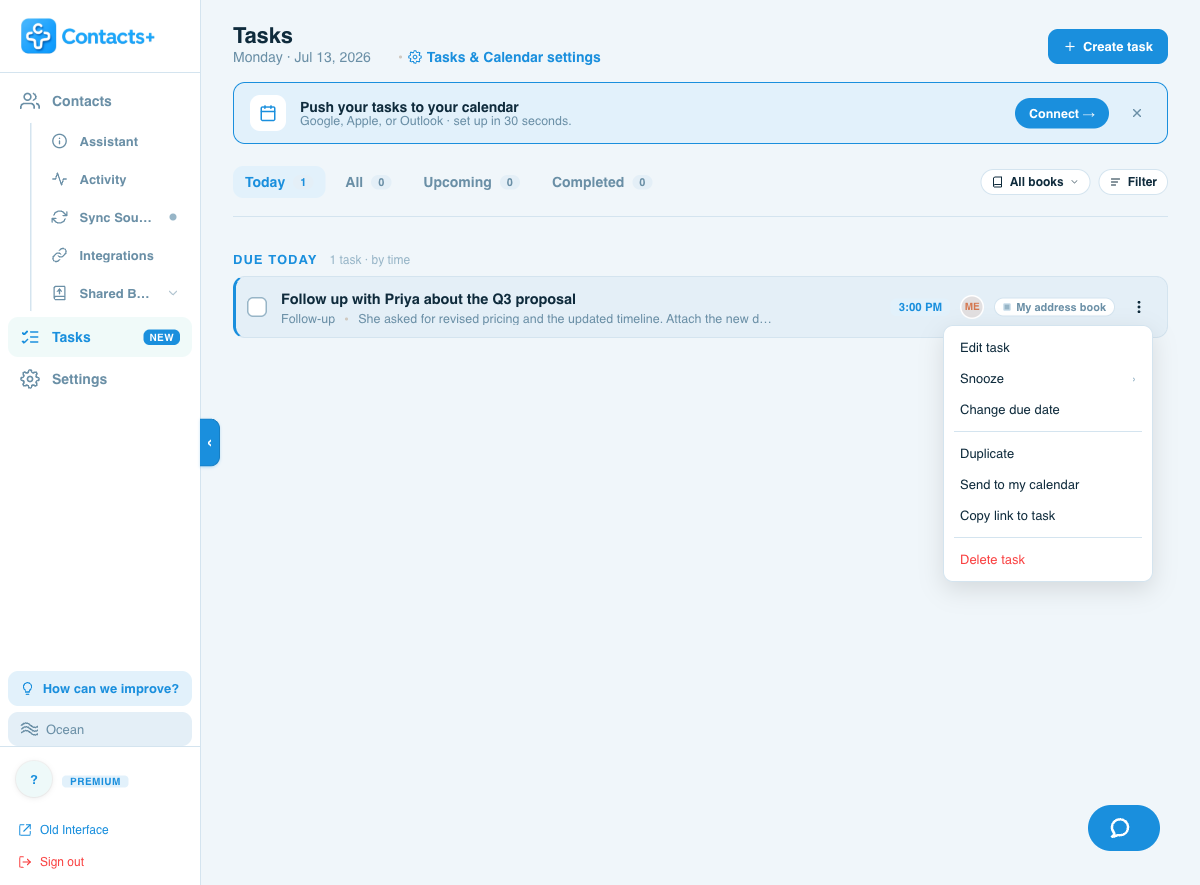
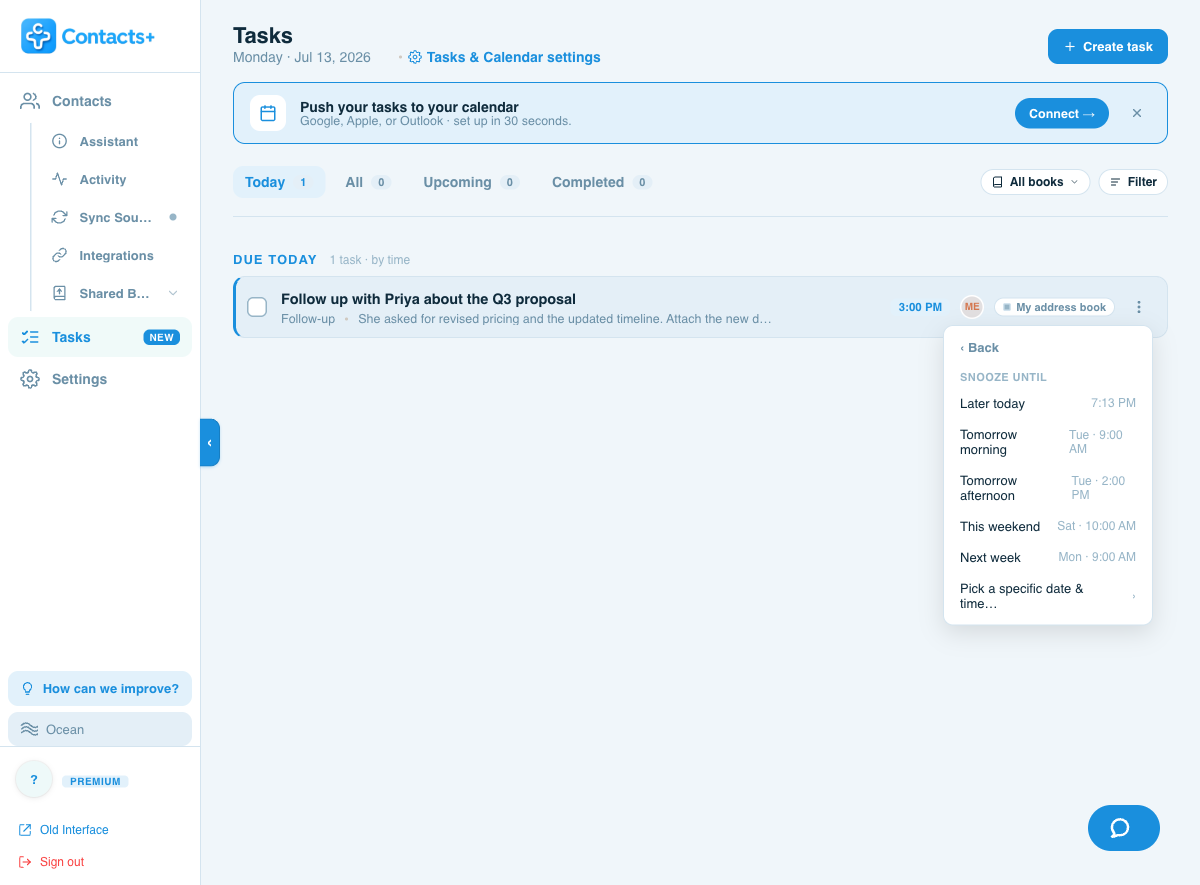
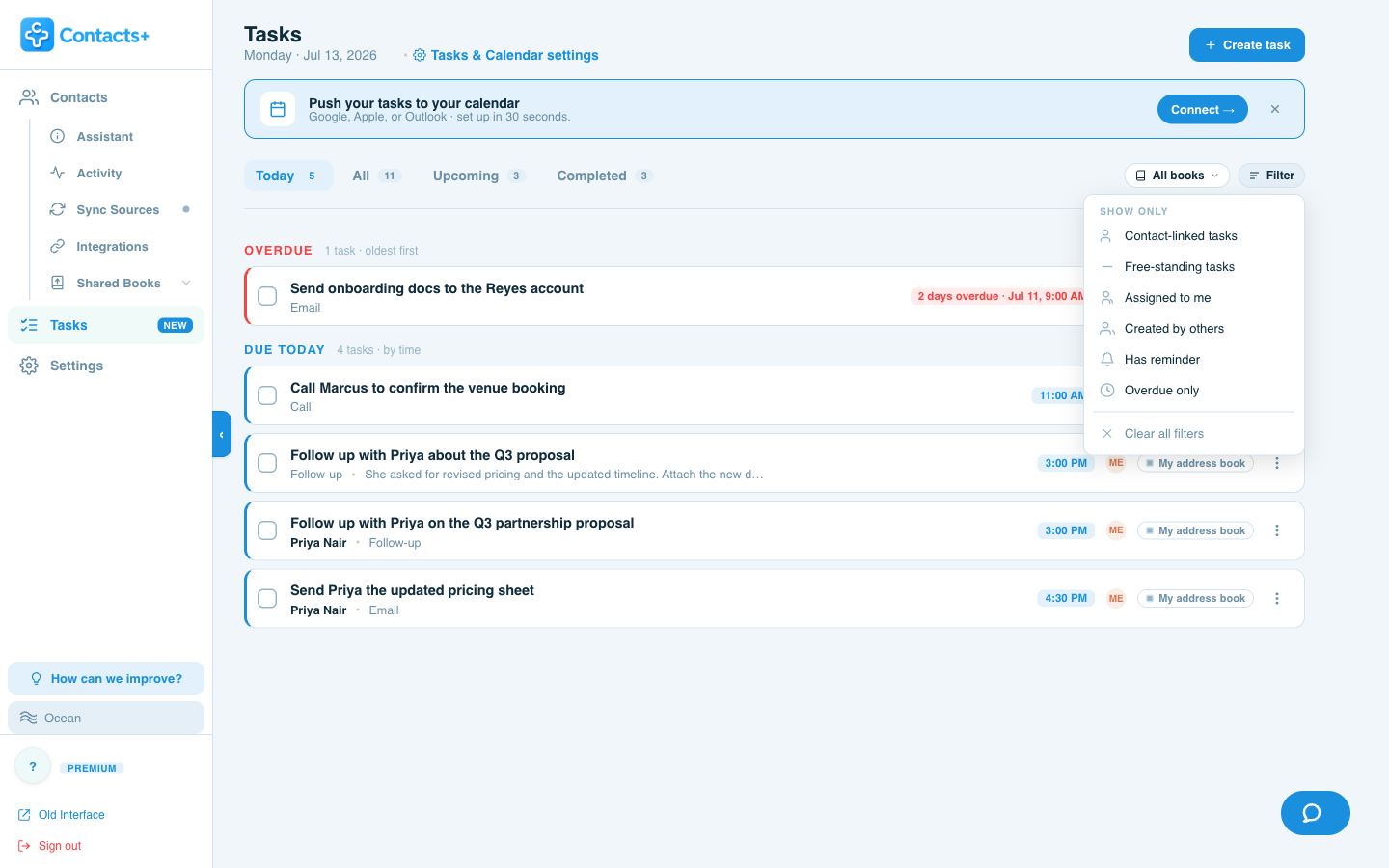
Every task row carries a menu of quick actions, a human-friendly snooze, and a filter bar to slice a long list down to exactly what you want.
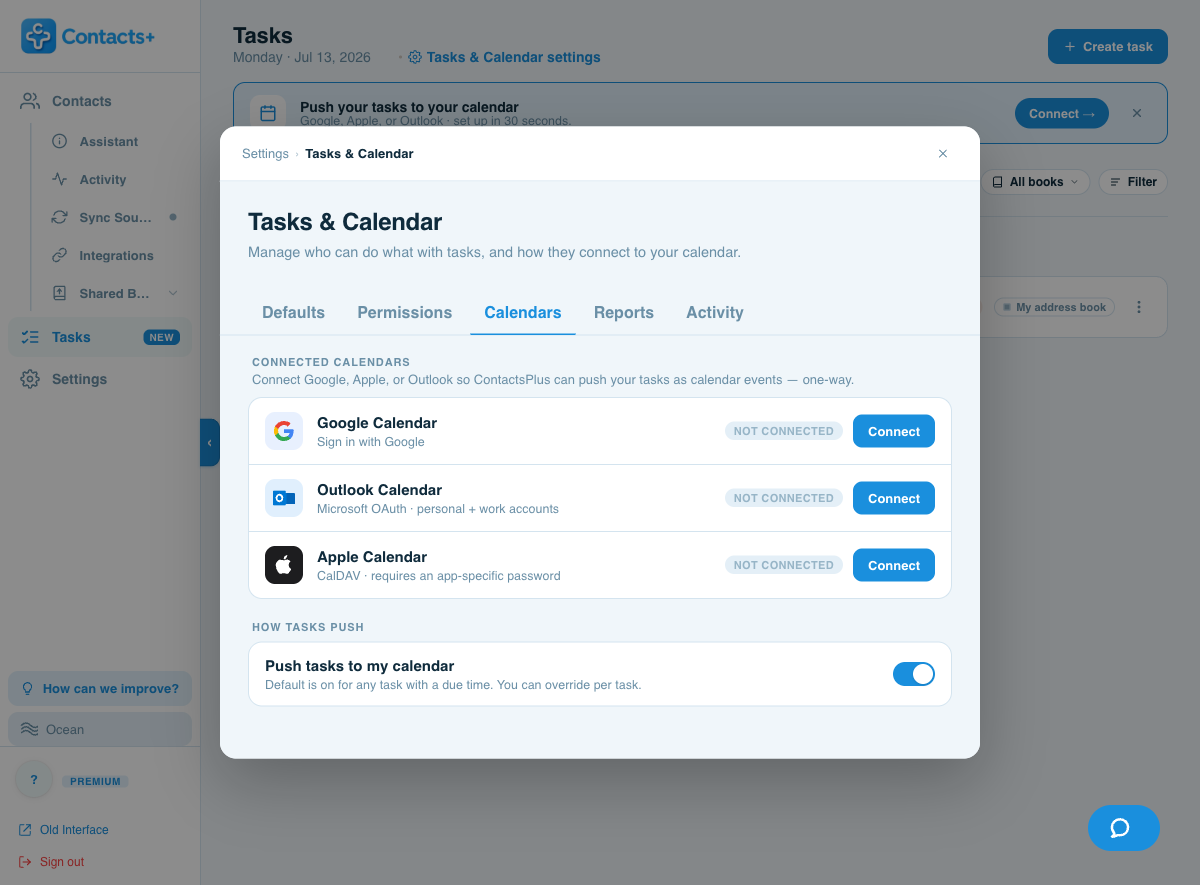
Push tasks to the calendar you already live in
Connect Google, Outlook or Apple and ContactsPlus creates a calendar event for any task with a due time — one-way, so your calendar stays the source of truth and nothing writes back into your contacts.
- Smart default: on for timed tasks, off for date-only ones
- Override per task, any time, from the composer or the row menu
- One-way and predictable — ContactsPlus never edits your calendar’s other events
Where a to-do list belongs
Tasks that live with the people they’re about
This is what sets Tasks apart from a generic to-do app: every task can be tied to a contact. It shows up in your task list and right on that person’s record — so the next time you open their profile, you know exactly where things stand.
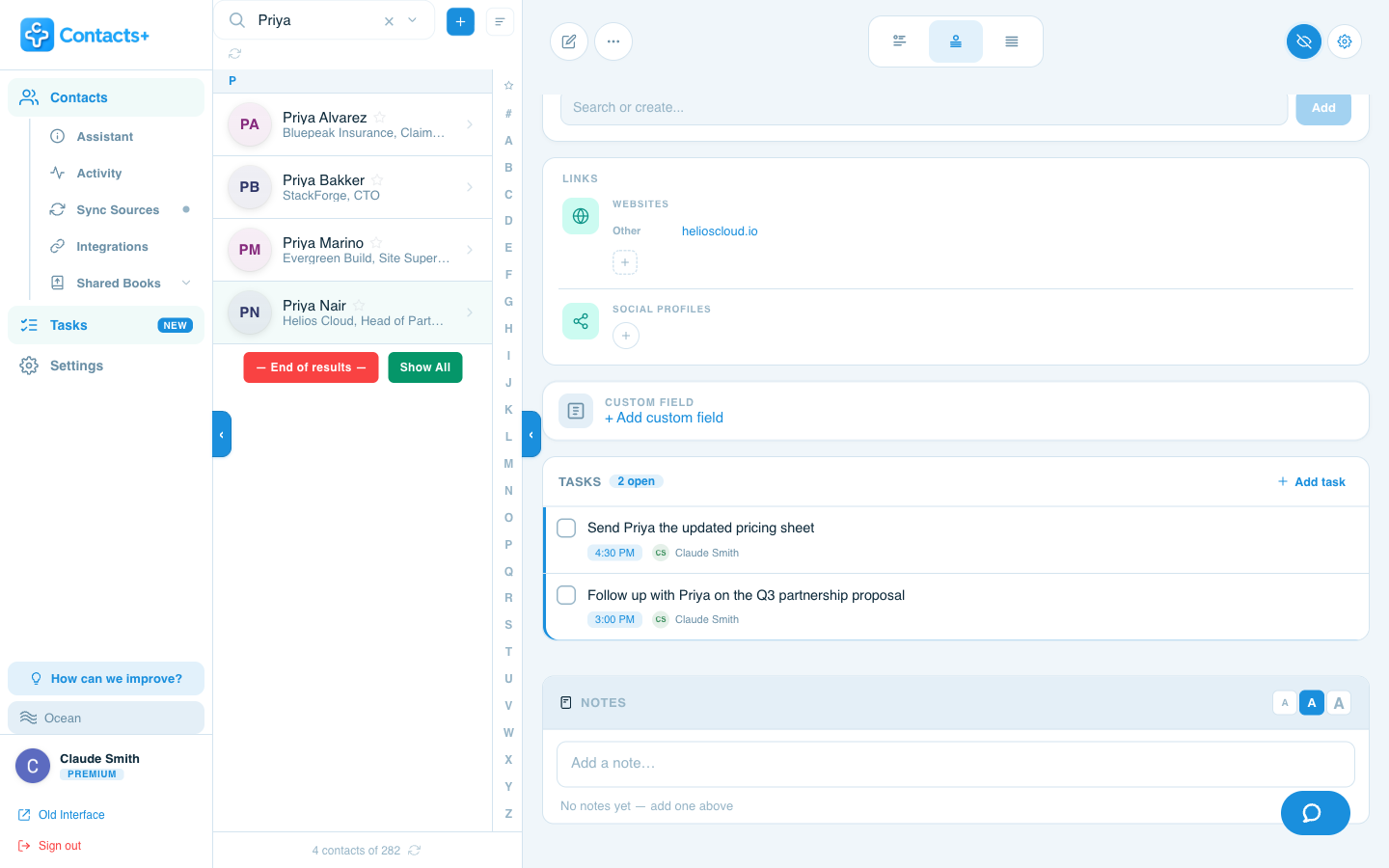
Every open task, right on the record
Open a contact and their tasks are there in a dedicated section — with an open-count, due times and who’s on the hook. Complete one and it’s logged to the contact’s timeline automatically.
- A Tasks section on every contact, above Notes
- Live open count so you see follow-ups at a glance
- Completing a linked task auto-logs to the timeline
- Works in all three record layouts — Story, Classic and Compact
Add a task without leaving the profile
Hit Add task on any contact and the composer opens with that person already linked — so a follow-up is two clicks from wherever you spotted it.
- Add task is right in the contact’s Tasks section
- The linked contact is pre-filled — no searching
- Or link a contact from the main Tasks composer any time
Better together
A shared to-do list for your whole team
Put a task in a shared address book and it becomes a team task. Everyone in the book can see it, the right people can act on it, and completions are attributed — so it’s always clear who did what.
Team sharing, assignment and permissions require a shared address book (Team plan). Solo accounts get the full personal experience.
Runs the book
Manages members and permissions, generates whole-team and per-member reports, and sets team-wide defaults.
Creates & assigns
Adds tasks, assigns them to any book member, edits, reassigns and changes due dates across the shared list.
Owns their work
Sees the shared list, completes tasks, and manages the tasks they created or that are assigned to them.
Stays in the loop
Read-only visibility into the team’s tasks — ideal for stakeholders who need the picture, not the buttons.
- Assign within the book — the assignee picker is scoped to that book’s members
- Completed by — finished team tasks show who closed them and when
- Notify on assignment — teammates get an email when a task lands on their plate
- Visibility follows the book — a task’s audience is its address book, not the linked contact
Proof and prompts
Reports for the record, a digest for the day
Export a branded activity report when you need to show the work — and start each morning with a rundown in your inbox so nothing slips.
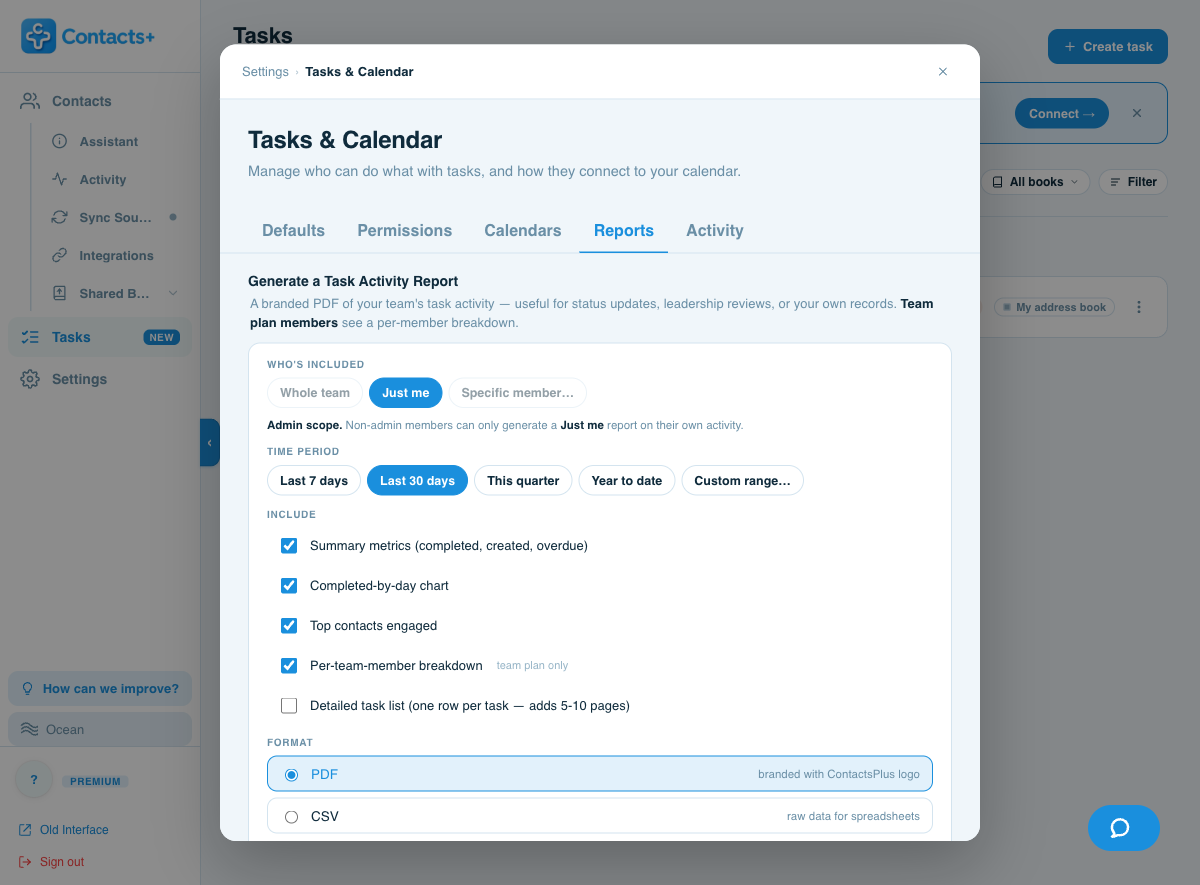
Sensible defaults you can change
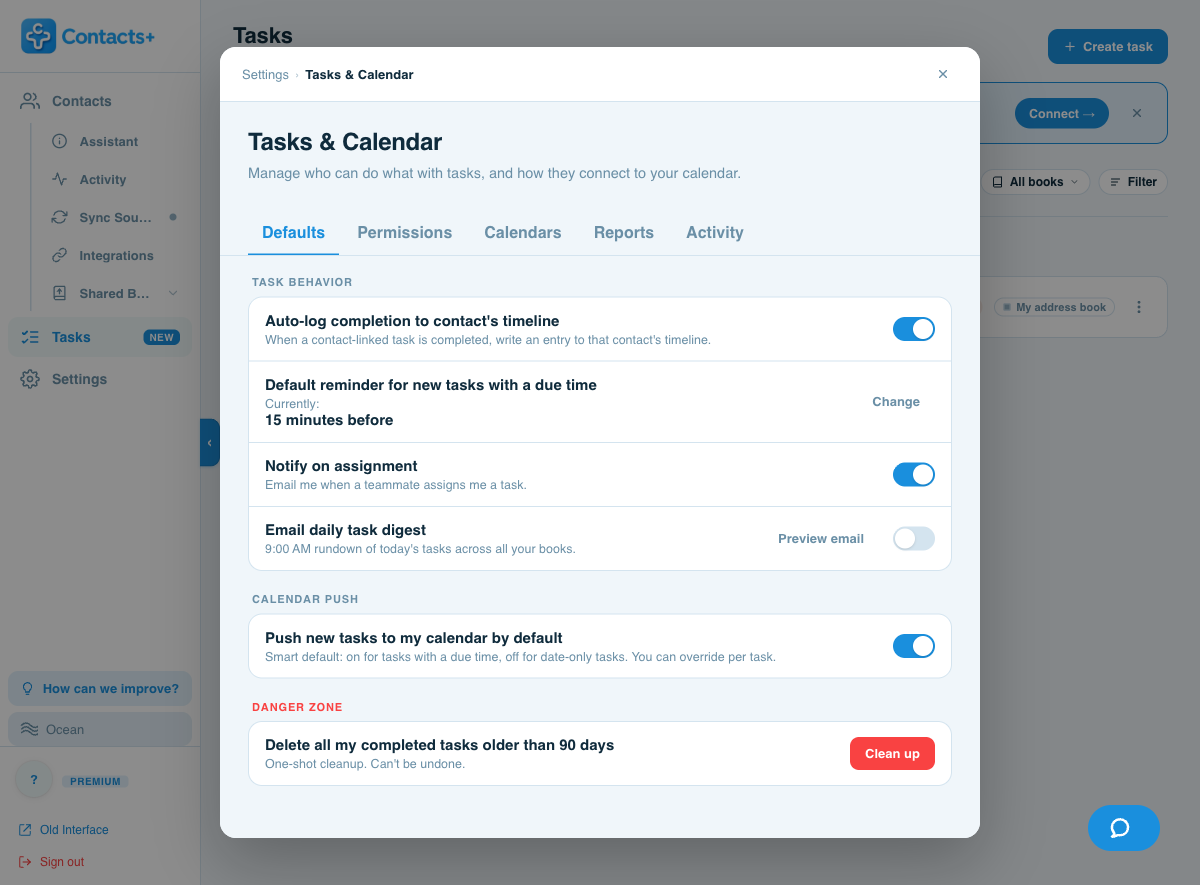
One settings home controls how Tasks behaves — reminders, completion logging, calendar push and notifications — so the app works the way you do from day one.
- Auto-log completions to a linked contact’s timeline
- Set the default reminder for new timed tasks
- Choose whether new tasks push to your calendar by default
- Turn the daily digest and assignment emails on or off
Questions, answered
Contact follow-up reminders, explained
How do I set a follow-up reminder for a contact?
Open the contact in ContactsPlus and click Add task. Give it a due date and time and ContactsPlus reminds you before it’s due (15 minutes before, by default) — so a follow-up reminder lives right on the person’s record.
Do follow-up reminders sync to my calendar?
Yes. ContactsPlus pushes any task with a due time to Google, Outlook or Apple Calendar as a one-way event. It’s on by default for timed tasks, and you can override it per task.
Can I see everything I need to follow up on today?
Yes. The Today view lists overdue follow-ups first, then everything due today by time. You can also opt into a 9 AM daily digest email that rounds up the day’s tasks.
Is ContactsPlus a personal CRM?
ContactsPlus is a unified address book that works as a personal CRM — it syncs your contacts across accounts and now lets you attach follow-up reminders and tasks to any contact, so relationships never go cold.
Is Tasks free, or do I need a paid plan?
Every ContactsPlus account starts with a free trial of Tasks. After that, creating follow-up reminders is included on Premium and Teams; Free users keep read-only access to their existing tasks. See plans.
Turn your address book
into your action list
Try Tasks free — then it’s part of Premium & Teams.
Sign up free