







Duplicate contacts
Remove duplicate contacts across every account at once
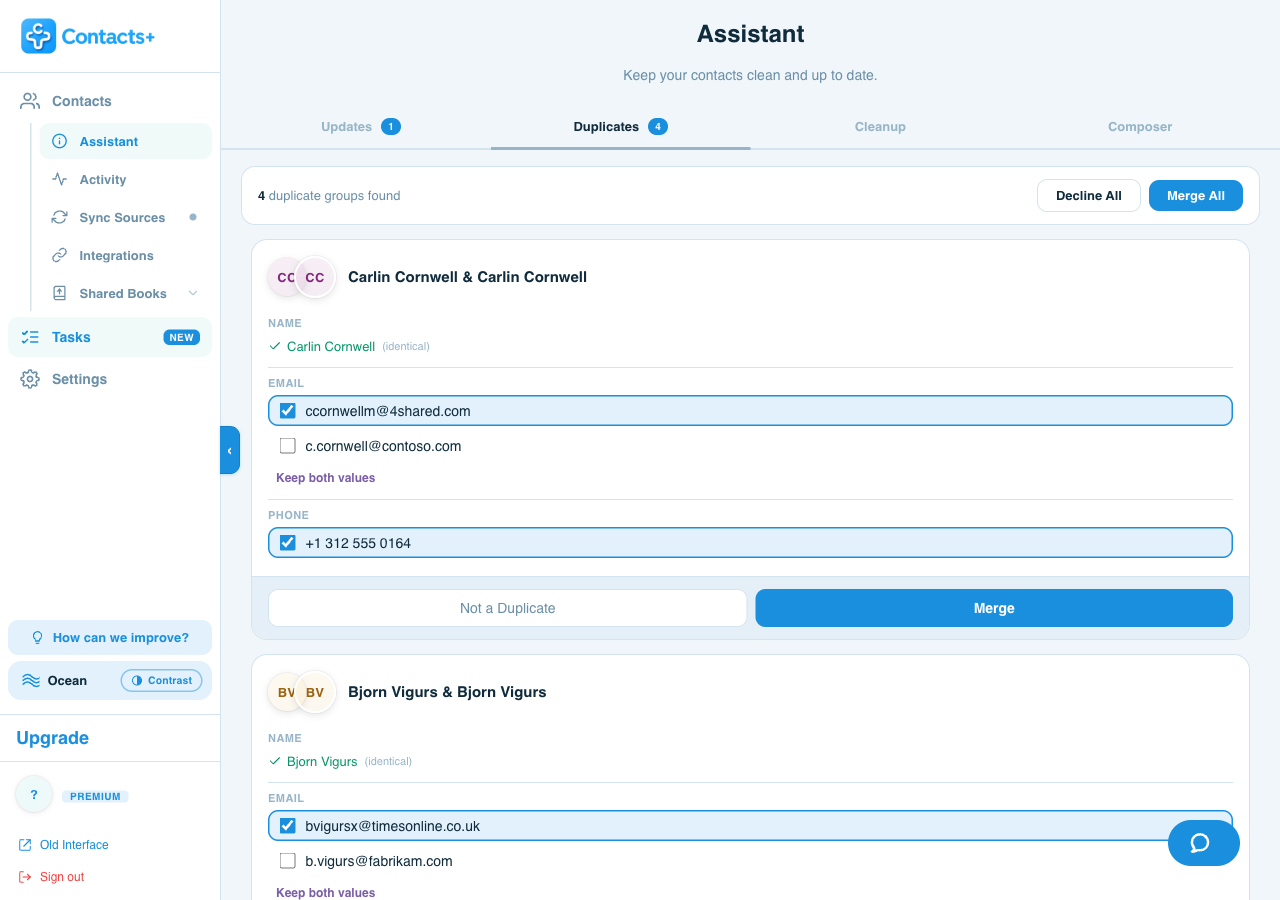
Most duplicates aren't hiding inside one account — they're the same person sitting in Google, iCloud and Outlook at the same time. ContactsPlus finds those matches across all of your accounts together and merges them into a single clean record.
Free to start — duplicate detection & merge is on Premium
The reason it never stays fixed
Why duplicates keep coming back
You delete the extra copies, and a week later they're back. That's not you doing it wrong — it's what happens when the same person exists in more than one account. Clean up your iPhone and your Google account still has its own copy. The next sync puts it right back.
- Deleting inside one account leaves the copies in the others untouched
- Every new device or account you connect can re-import the same people — and so can a CSV import when you move over from another contact app
- Slight differences — a nickname, a work email, a missing photo — stop the accounts recognising them as one person
The fix, plainly: merge across every account at once, then keep those accounts in sync — so there's one clean record instead of three that keep re-splitting.
Matches you control
You decide field by field — not blind bulk merging
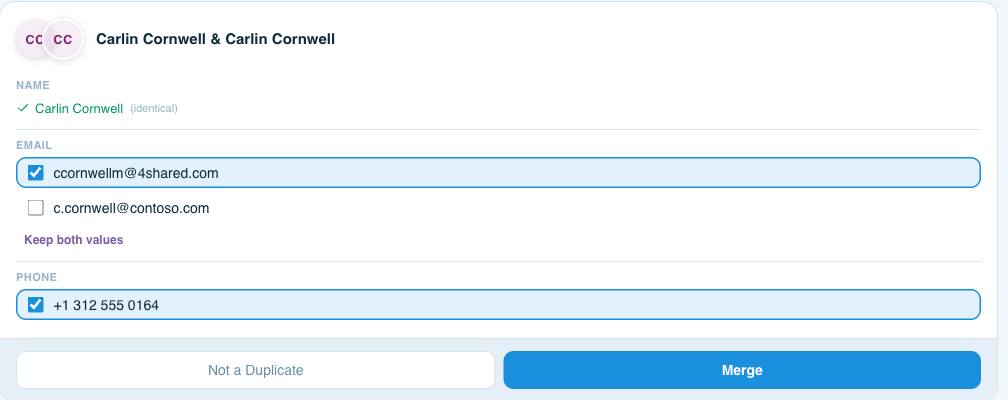
ContactsPlus groups the records that look like the same person and shows you the conflict itself: this name against that one, this phone number against that one. You tick the value you want to keep. Nothing is decided for you and nothing is guessed away.
- See every field where the records disagree — name, email, phone — side by side
- Keep both values on any field, so a second number or work email is never lost
- Mark a group Not a Duplicate and it stops being offered
- Work through them one at a time, or Merge All once you trust the matches
The safety net
Merge without the fear of losing something
The reason people put this off for years isn't the tedium — it's the worry that one wrong merge quietly destroys a number they'll need in two years and never notice is gone. So merging here isn't a one-way door.
- Nothing merges until you approve it — review first, then act
- Keep both values on any field where the records disagree, so nothing is quietly dropped
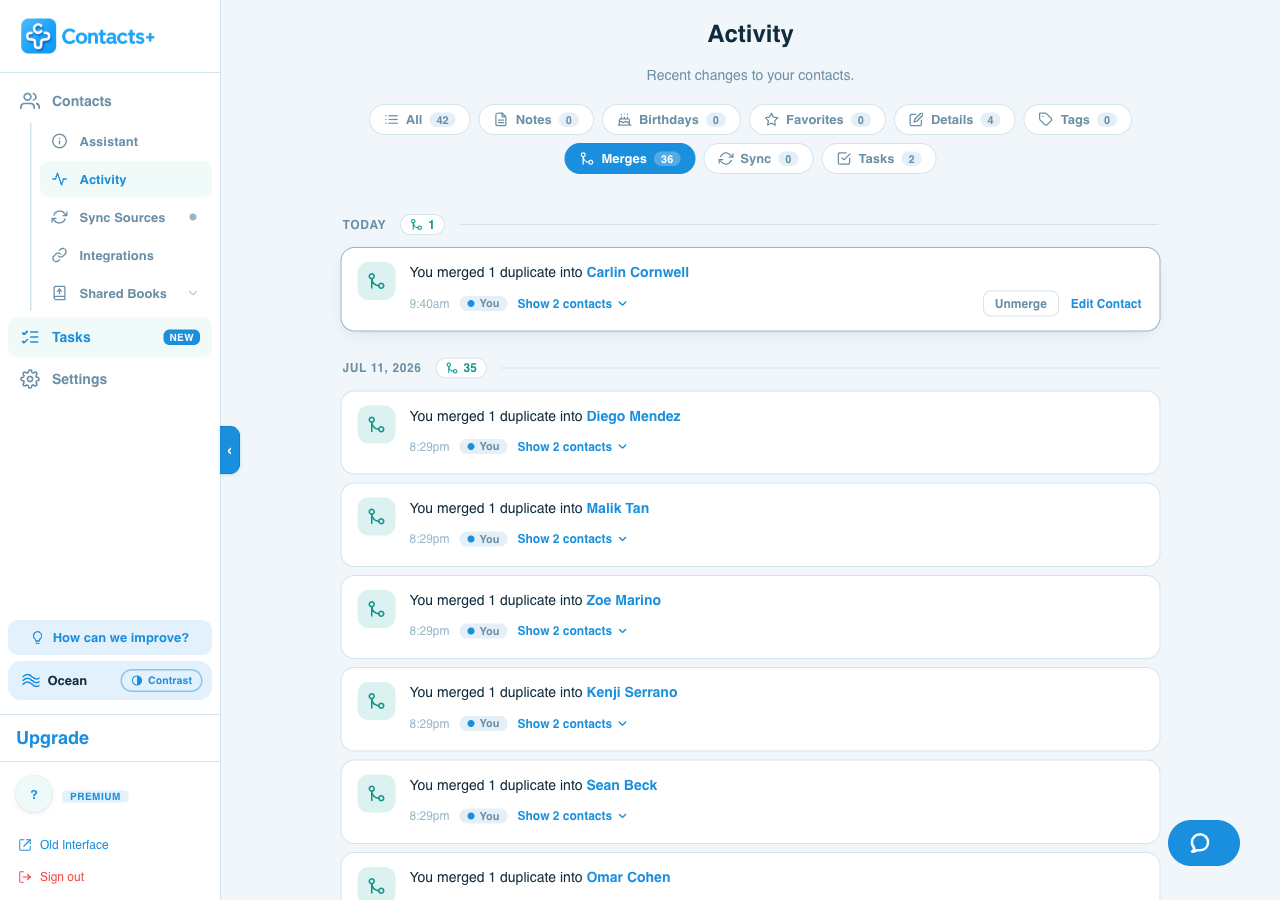
- Merges can be unmerged and deletions restored from your activity history — which records changes a sync made, not just yours
- Premium keeps six months of that history; the free plan keeps 30 days of it
Worth knowing: the free plan keeps 30 days of activity history; Premium extends it to six months. See pricing for the full comparison.
Beyond duplicates
Clean up the rest of the mess while you're there
Duplicates are the visible problem. Underneath them is the slow rot every long-lived address book collects: addresses that bounce, links to companies that no longer exist, and entries that are a phone number attached to nobody. Clearing all of it, and keeping it clear, is the job proper contact management software does — and before any bulk merge, it is worth having a backup of your contacts you can fall back on.
Bad email addresses
Flagged, so you stop carrying them around.
Outdated URLs
Dead company links and links that no longer resolve.
Empty contacts
Entries carrying no usable detail at all.
Missing details
Filled back in automatically by contact enrichment.
Cleanup runs on the same account-wide view as duplicate detection, and every action it takes is reversible from your activity history — so nothing disappears without a trail.
By account
Cleaning up one account in particular?
Each guide covers the manual route for that account — including what its own built-in tools can and can't do — and where it falls short.
Apple merges on the device and links same-name cards across accounts so they look like one — but linking isn't merging, and the records stay separate.
Clear duplicates in iCloud →Google has a real merge-and-fix tool — it just can't see anything outside your Google account.
Remove duplicate Google contacts →New Outlook and the web version hide duplicates rather than merging them — and the classic desktop app behaves differently again.
Remove duplicates in Outlook →Google Contacts has its own merge tool, and Samsung phones layer a second one on top — both only see what's on that one phone.
Merge duplicates on Android →Step by step
How to remove duplicate contacts
Connect every account that holds contacts
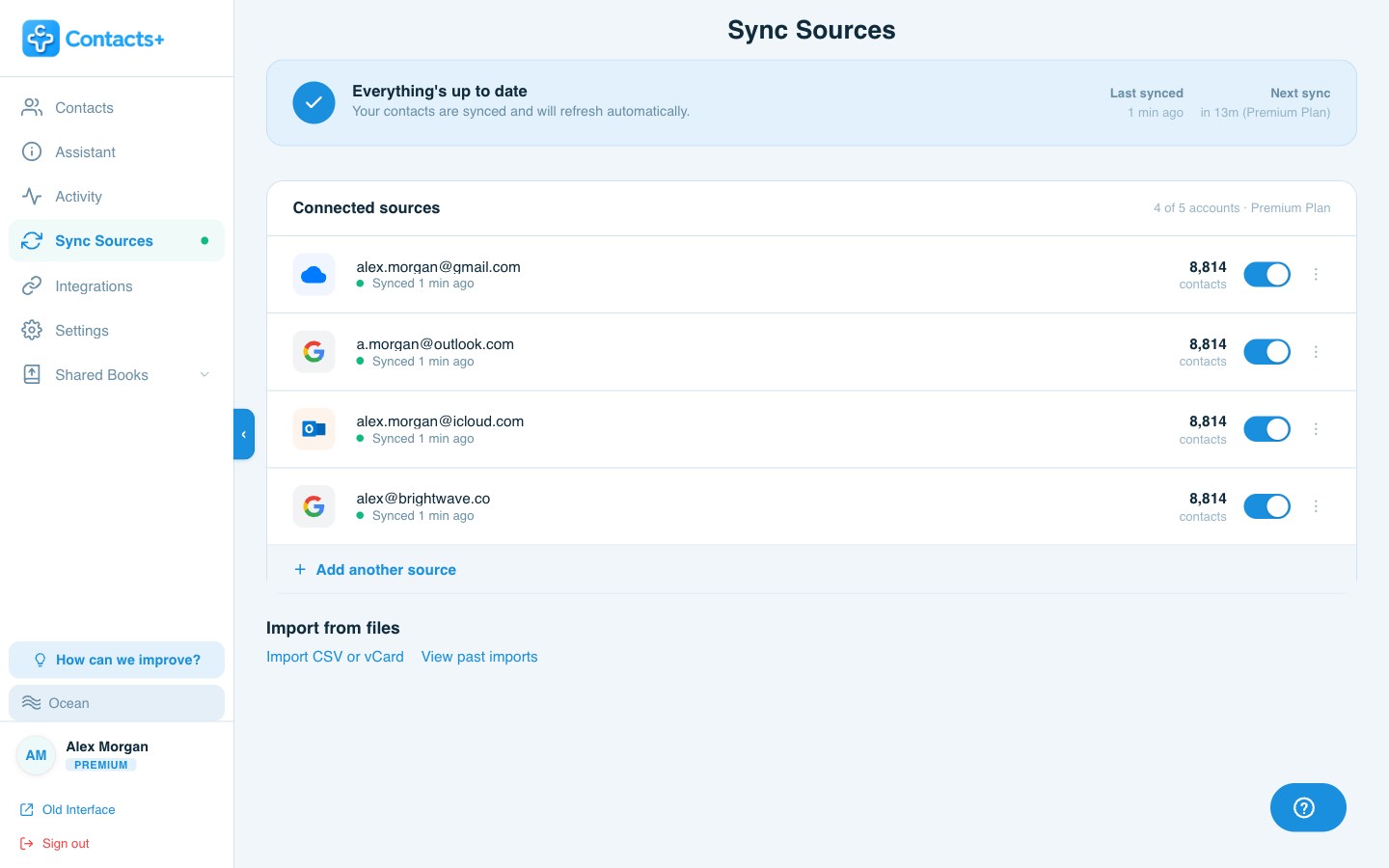
Google Contacts, iCloud and Microsoft/Outlook. This is the step people skip, and it's the one that decides whether the cleanup holds — deduplicating a single account only ever fixes part of the problem. One account is free; up to five is Premium.
Review the matches
ContactsPlus groups the records that look like the same person across all of those accounts. Open a group to see every field where the two records disagree, tick the value to keep, and merge.
Merge — and keep it clean
Merge the groups you approved. Because your accounts stay in sync afterwards, the single clean record replaces the duplicates everywhere instead of re-splitting the next time an account syncs. Every change stays in your activity history.
FAQ
Frequently asked questions
Why do duplicate contacts keep coming back?
Because the duplicates usually aren't inside one account — they're spread across several. If the same person sits in your work Google account, your personal iCloud and your Outlook account, every device that syncs more than one of those will show them more than once. Deleting the extra copies in one place doesn't touch the others, so the next sync brings them straight back. The fix is to merge across every account at once and then keep those accounts in sync, so there's one clean record rather than three that keep re-appearing.
Can I remove duplicate contacts across Google, iCloud and Outlook at the same time?
Yes. ContactsPlus connects Google Contacts, iCloud and Microsoft/Outlook natively and looks for duplicates across all of them together, not one account at a time. That matters because most duplicate contacts are cross-account. Many tools can only clean the account they're installed in, and many CRMs can't connect to iCloud directly at all.
Will merging contacts lose any of my data?
You decide, field by field. ContactsPlus shows you every field where the two records disagree — name, email, phone — and you tick the value to keep, or choose Keep both values so neither is lost. Nothing merges until you approve that group, and you can mark it Not a Duplicate instead. Merges can be unmerged and deletions restored from your activity history, so a merge is traceable rather than a one-way door.
Does Apple, Google or Microsoft remove duplicate contacts for me?
Each of them has a tool — and each one only sees its own account. Google Contacts has Merge & fix, which suggests duplicates inside your Google account and merges them individually or all at once. The iPhone Contacts app can merge duplicates on the device, and automatically links same-name cards from different accounts so they display as one. New Outlook and Outlook on the web hide exact and subset duplicates rather than merging them, and classic desktop Outlook only prompts you at import. What none of them do is combine the records — Apple links same-name cards for display, Outlook hides them, but the separate copies stay put in their own accounts.
Is duplicate removal included on the free plan?
No. Duplicate detection and merge is a Premium feature, along with the wider data cleanup tools. The free plan connects one account and holds up to 1,000 contacts, which is enough to start and to see your contact list in one place. Because most duplicates are cross-account, the case for Premium is usually the second account rather than the merging itself. See pricing for the full comparison.
One person. One record.
Merge the duplicates across every account you own, and keep them merged.