







CRM for Gmail
A simple CRM
for Gmail
If you work out of Gmail, you already have half a CRM: Google Contacts holds the people and your Sent folder holds the history. What’s missing is the deal, the next step and a way to see both on the person. ContactsPlus adds those and keeps working with the Gmail you already use.
At a glance
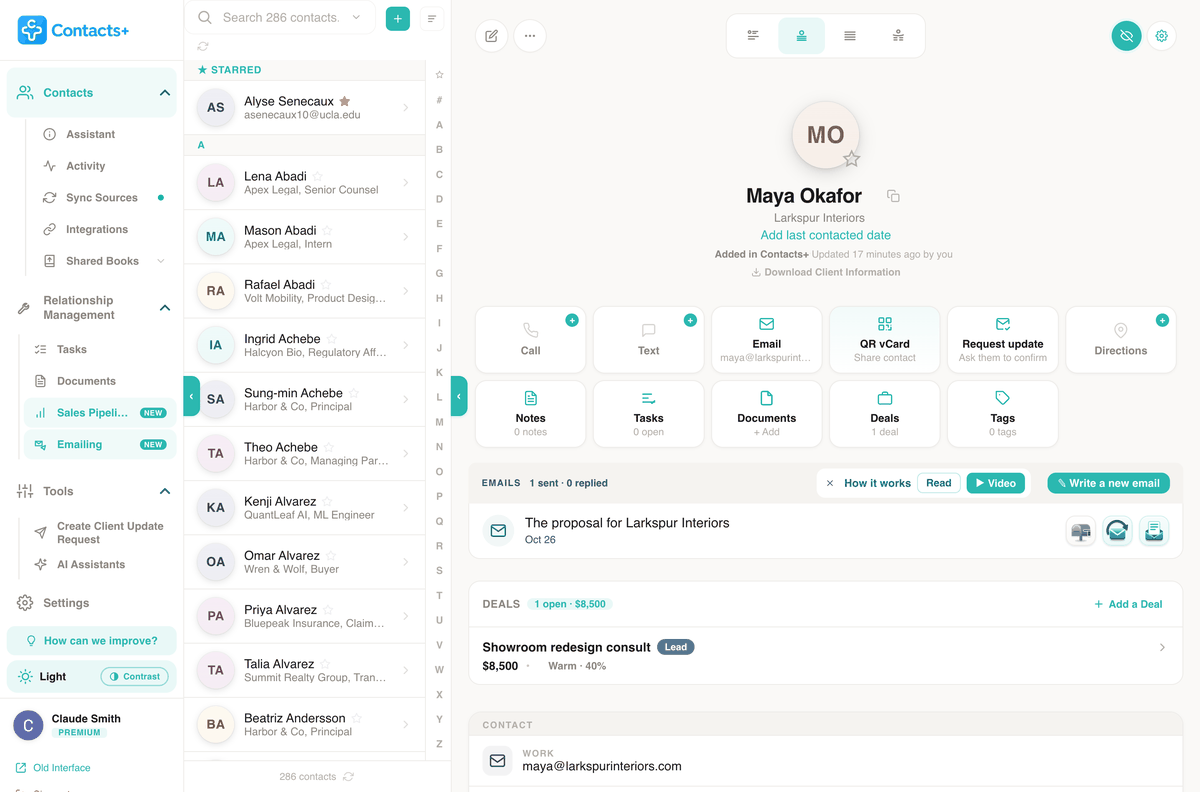
ContactsPlus as a CRM for Gmail puts the contact, the deals and the emails on one record per person. The contact is synced from Google Contacts, the deals are the ones you’re working with them, and the emails are the ones you sent from your Gmail, with their replies. It’s a web app that sits next to your inbox.
- Syncs Google Contacts, and iCloud and Outlook too, into one list
- A sales pipeline with a next step and a date on every deal
- Personal emails to one contact or a list, sent through your Gmail
- Replies recorded on the contact they came from
- Works with Google Workspace as well as personal Gmail
1. The people
Your Google Contacts, without retyping them
Connect Google and your contacts come in. By default ContactsPlus only reads them. Nothing is written back to Google until you switch that account to two-way sync, and you can switch it back. Add iCloud or Outlook and they merge into the same list, which matters when the client you’re emailing was saved on your phone.
How Google Contacts sync works · ContactsPlus vs. Google Contacts
2. The deals
A pipeline that tells you who to email today
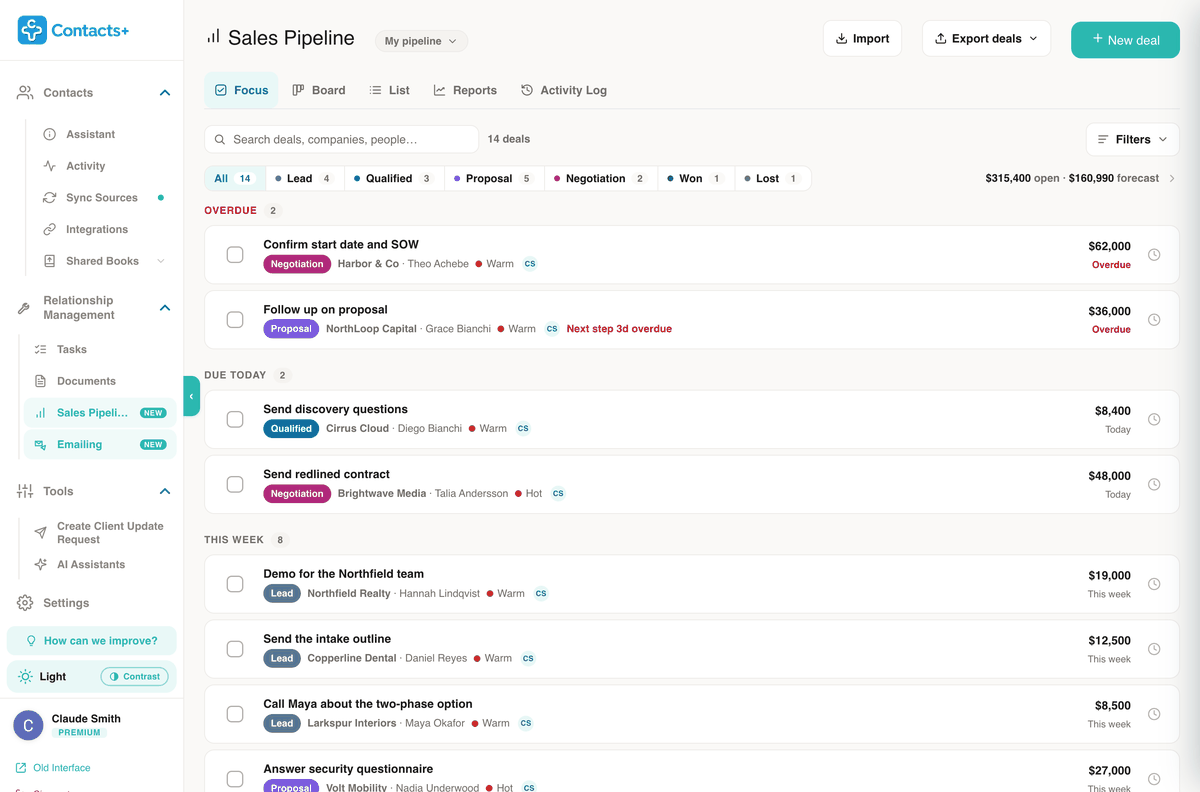
Each deal sits on a contact, with a value, a stage from Lead to Won and one next step with a date. The Focus view lists those steps by when they’re due, so the morning starts with the three emails that matter instead of an inbox sorted by whoever wrote last.
Bring an existing pipeline in from a spreadsheet, move deals on a board and report on win rate and forecast. More on Sales Pipeline
3. The emails
Sent from your Gmail, answered on the contact
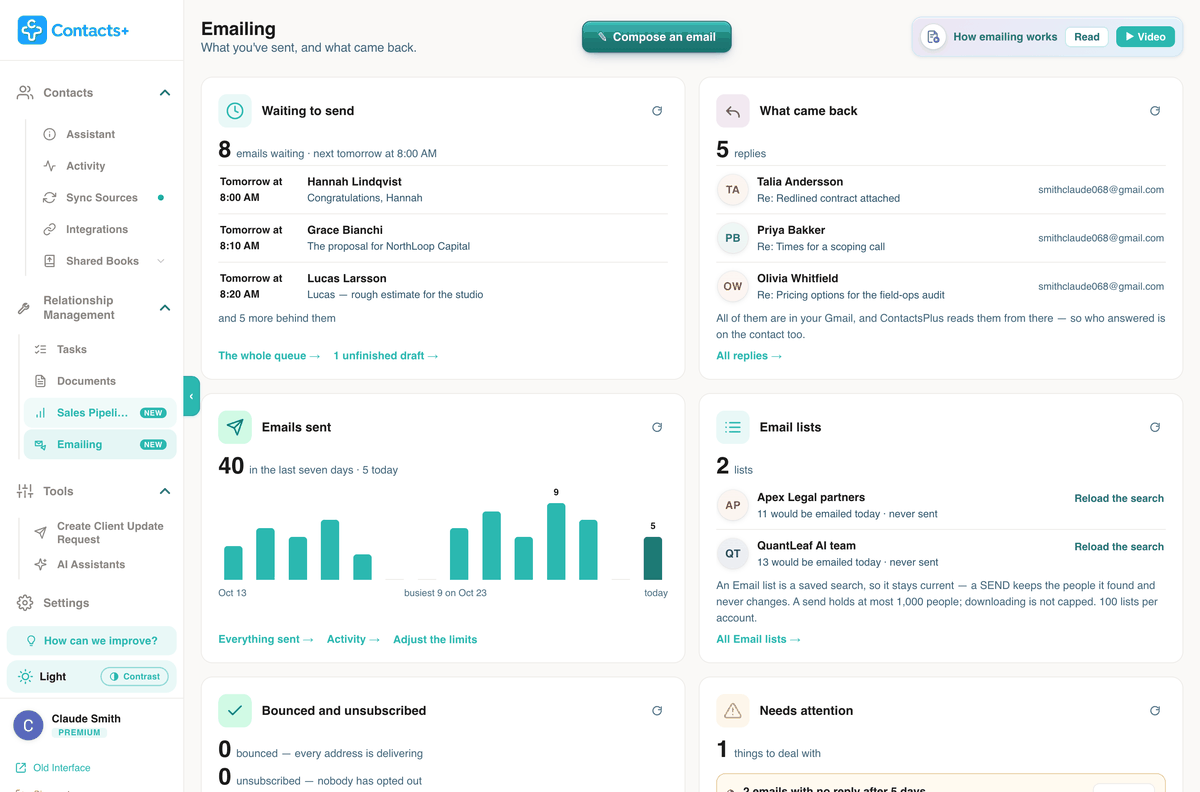
Write an email and send a personal copy to one contact or a whole list. Each copy goes out through your Gmail, from your address, into your Sent folder. Schedule it for later or send it now; a list goes out at the hourly and daily pace you set, within what Google and Microsoft allow. When someone replies, the reply is noted on their record and anything else you had queued to them is held back.
Merge fields fill in from the contact, and an empty field stops the send before it goes out. More on Emailing
Worth knowing
A separate app, on purpose
Some Gmail CRMs live as a sidebar inside your inbox. ContactsPlus doesn’t. That trade cuts both ways.
What you give up
You don’t see a deal’s stage next to an email while you’re reading it in Gmail. Planning who to contact happens in ContactsPlus, in a second tab.
What you get
Contacts that also live in iCloud and Outlook, phone apps for iOS and Android, and Outlook mailboxes as well as Gmail. There’s nothing to install in your browser.
Contacts and email are separate Google connections
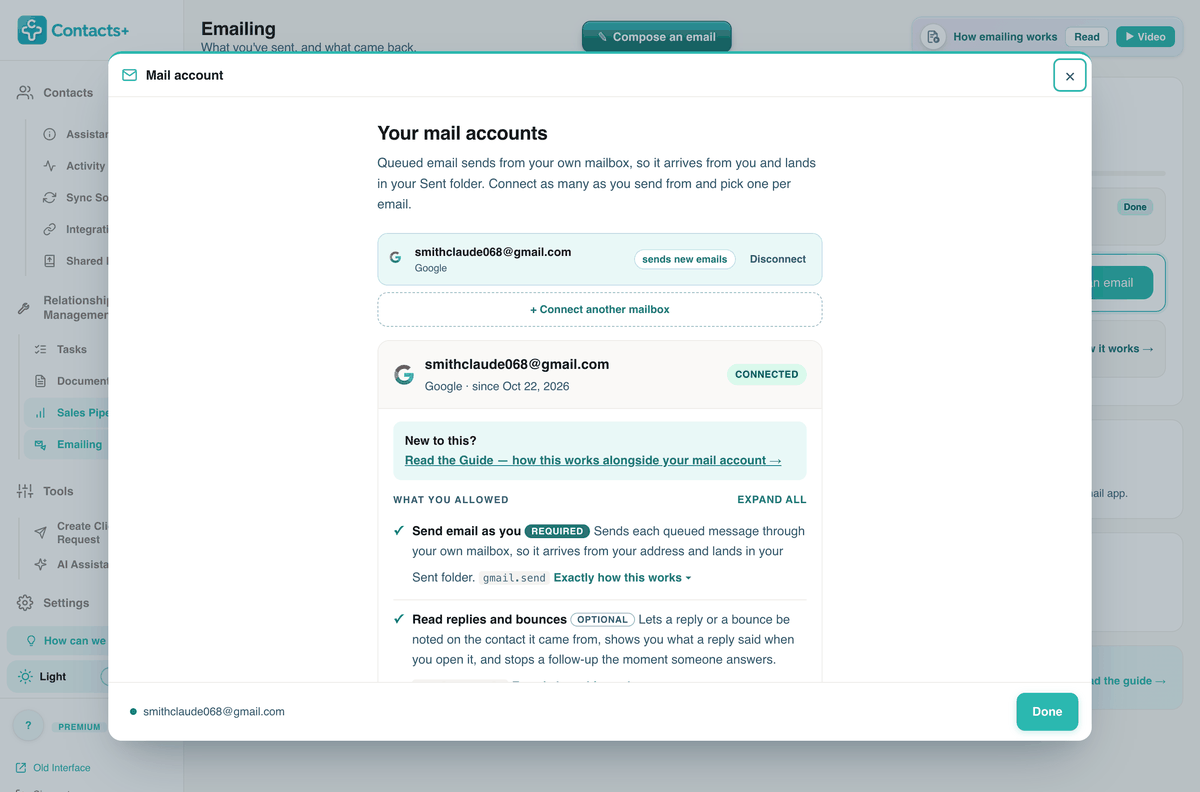
Syncing your contacts and sending your email are separate Google connections, and the mailbox connection doesn’t ask for your contacts, calendar or files. You approve each one on Google’s own sign-in page, and ContactsPlus never sees your password.
The mailbox page lists what you allowed, and what ContactsPlus can’t do with that access, which includes sending anything you didn’t queue. Disconnect and the stored tokens are removed.
Questions
Before you connect Google
Does Google have a CRM?
Not as such. Google Contacts stores people and labels, and deals usually end up in a Google Sheet. Neither ties a deal, its next step and the emails you sent to the same person’s record.
Does ContactsPlus work inside my Gmail inbox?
No. ContactsPlus is a web app, with iOS and Android apps. It reads your Google Contacts through sync and sends email through your Gmail, but you plan who to contact in ContactsPlus, not in the inbox.
Will ContactsPlus change my Google Contacts?
Only if you choose. Each connected account has a sync direction. The default pulls contacts in and only reads, so nothing is written back to Google. Switch the account to two-way and edits flow in both directions.
Does it work with Google Workspace?
Yes. You can sync Google Workspace contacts and send email from a Workspace mailbox, which Google allows to send up to 2,000 emails a day.
Can I use Outlook as well as Gmail?
Yes. ContactsPlus syncs contacts from Google, iCloud and Outlook into one list, and can send email through Outlook.com, Microsoft 365 or Exchange Online as well as Gmail. You can connect more than one mailbox and choose which one each email comes from.
Is there a free plan?
Yes. The free plan connects one account, holds up to 1,000 contacts and syncs daily. Sales Pipeline and Emailing are Premium features. Free accounts can track up to 3 deals and send up to 20 emails in total. The pricing page lists what each plan includes.
Start with your
Google Contacts
Connect Google and your contacts appear in ContactsPlus.
Sign up free