







Google Contacts
Remove duplicate Google contacts
Google has a genuinely good duplicate tool, and you should use it. It just can't see the copy of the same person sitting in iCloud or Outlook — which is why the duplicates come back. Here's the built-in route, and what to do about the rest.
Free to start — duplicate detection & merge is on Premium
The built-in route
How to merge duplicate Google contacts
Do this first — it's free, and it clears the duplicates Google manages to spot inside that one account.
Open Google Contacts
Go to contacts.google.com on a computer — the desktop layout makes the suggestions easier to work through.
Open Merge & fix
In the left-hand menu, click Merge & fix. On Android it's under Fix & manage → Merge & fix → Merge duplicates. On a Samsung or Pixel phone, see merging duplicate contacts on Android.
Review the suggestions
Google lists the pairs it thinks are the same person. Merge each pair, or Merge all. Anything you don't merge is simply left alone.
Check your other accounts
That covered your Google account only. If the same person is also in iCloud or Outlook, that copy is untouched — and it will come back.
If Merge duplicates doesn't appear, Google simply hasn't found any inside that account. That isn't proof you have no duplicates — only that none of them are Google-to-Google.
Where Merge & fix stops
Merge & fix is good. It just can't see past Google.
The limitation isn't quality, it's scope. Google's tool is genuinely capable inside the account it lives in — and completely blind to everything outside it.
Merge & fix — capable, and account-bound
It scans for matching names, phone numbers and email addresses, proposes pairs, and merges them individually or all at once. It genuinely combines the records rather than hiding one. But it reads exactly one Google account, so a person who also exists in iCloud or Outlook is half-invisible to it — and the half it can't see is the half that keeps coming back.
Links, doesn't merge
Shows same-name cards as one contact on the device; the records stay separate.
Hides, doesn't merge
New Outlook suppresses duplicates from view automatically. They still exist.
Apple links same-name cards so they look like one contact, and Outlook hides its duplicates. Neither combines the records — so the separate copies still sit in each account, and Merge & fix can only ever change the Google one.
The part Google can't do
Merge across Google, iCloud and Outlook together
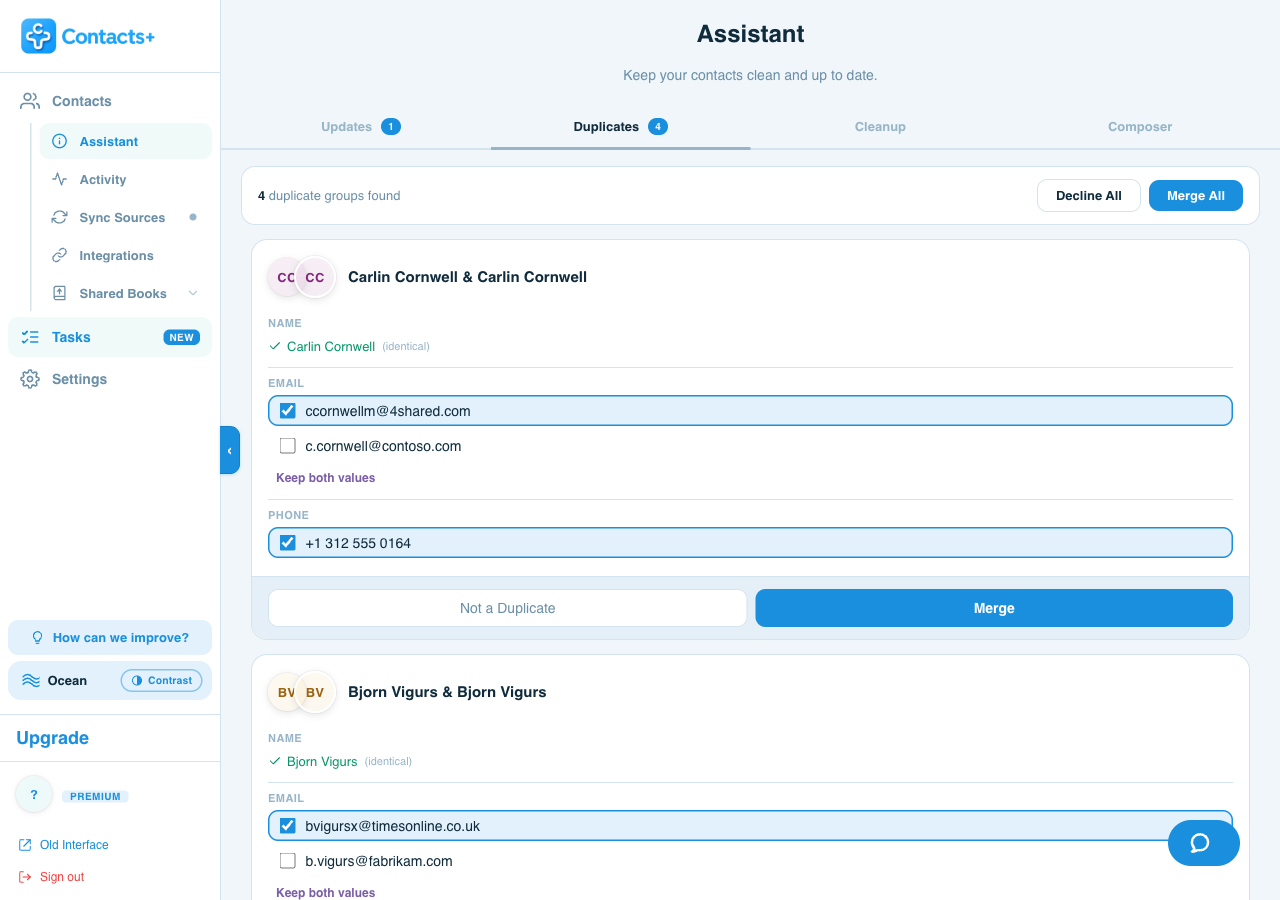
ContactsPlus connects to all three natively and looks for duplicates across them at the same time — including the ones that span two providers, which is where most of them actually live. You review each group field by field and decide what survives.
- Reads your Google account and iCloud and Microsoft, in one pass
- Proposes the cross-provider pairs Merge & fix structurally cannot see
- Shows the conflict per field, with Keep both values where a work and personal address both matter
- Merges can be unmerged from your activity history
The difference, plainly: Merge & fix asks “are these two Google contacts the same person?” ContactsPlus asks “is this the same person anywhere I keep contacts?” Only the second question fixes a duplicate that spans two providers.
FAQ
Frequently asked questions
Why do my Google contacts keep duplicating?
Usually because more than one account is syncing the same people into the same place. A phone signed in to both a Google and an iCloud account shows both copies, and importing a CSV or connecting a new device can re-add people who are already there. Merge & fix cleans up the copies inside Google, but anything living in another provider is invisible to it and comes back on the next sync.
Is Google's Merge & fix safe?
Yes, and it's worth doing first. It only suggests — nothing merges until you click Merge, and anything you don't merge is left alone. It also only touches your Google account, so contacts in iCloud or Outlook aren't affected.
Why can't I find Merge & fix on my phone?
It's in a different place on Android — Fix & manage → Merge & fix → Merge duplicates — and If the option is missing entirely, Google hasn't detected any duplicates in that account.
How do I merge duplicates across Google and iCloud at once?
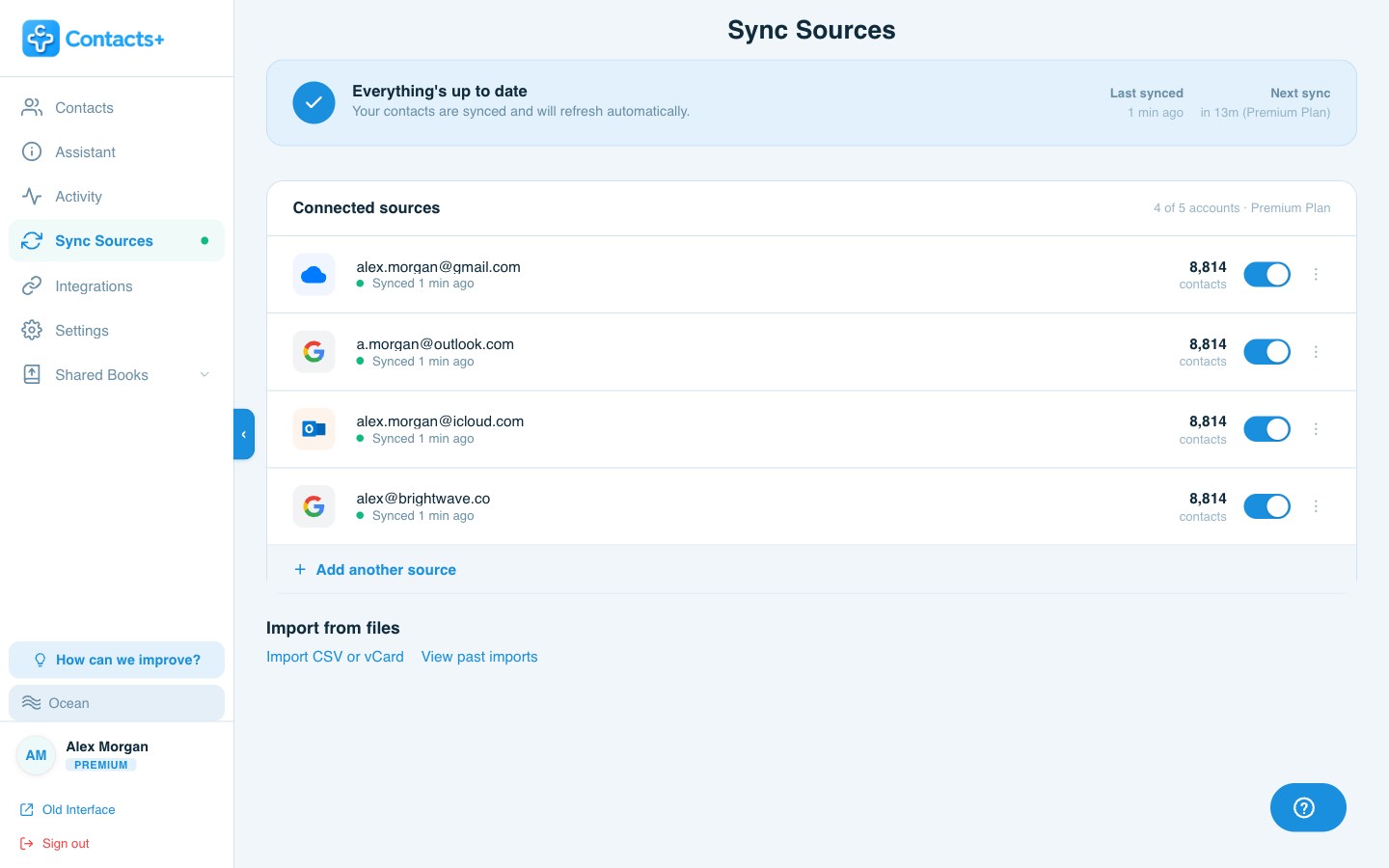
You need something that can see both at the same time. ContactsPlus connects Google Contacts, iCloud and Microsoft/Outlook natively, finds duplicates across all of them together, and shows you every field where the records disagree so you choose what to keep. Many tools can only clean the account they're installed in.
Clean up all of it, not just the Google half.
Merge across every account you own, and keep them merged.