







CRM for Outlook
CRM for Outlook
and Microsoft 365
Outlook already has your clients’ names and your email with them. What it doesn’t have is a built-in place for the deal. ContactsPlus adds deals, follow-ups and files to each client, and works alongside the Outlook or Microsoft 365 account you already have.
At a glance
ContactsPlus works with Outlook as a separate app connected to your Microsoft account. Your Outlook contacts sync in, each client carries the deals you’re working on, and the emails you write go out from your own Outlook address, and replies can be noted on the client’s record.
- Sends from Outlook.com, Microsoft 365 and Exchange Online mailboxes
- Outlook, Google and iCloud contacts in one list, with duplicates merged
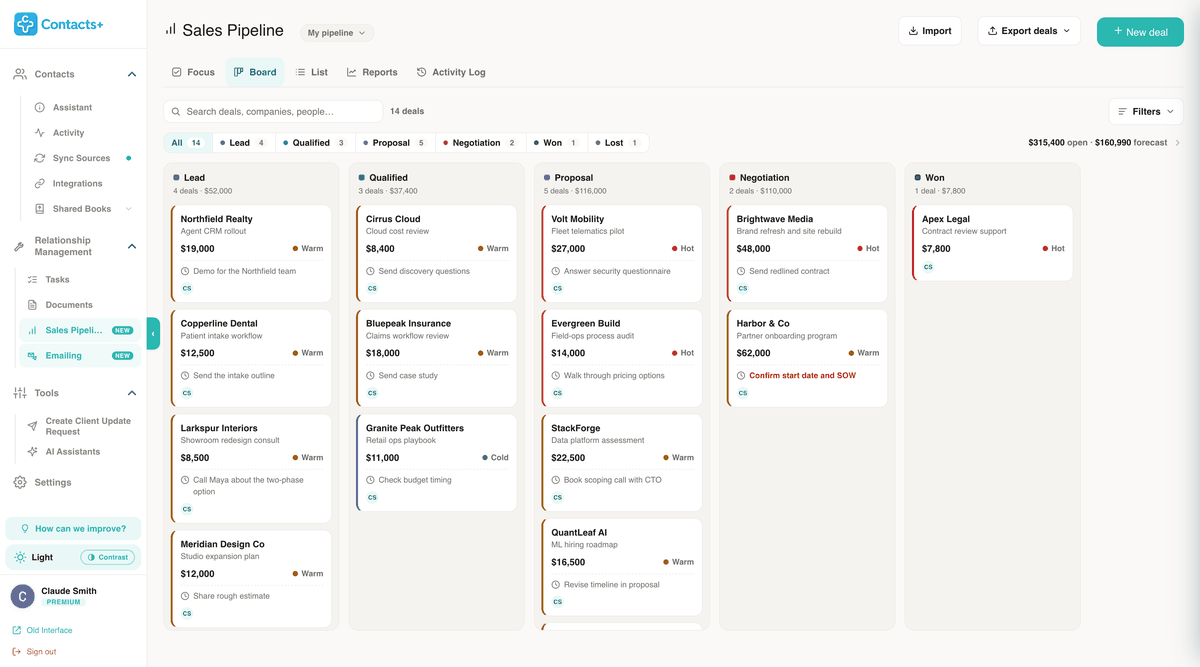
- A sales pipeline where each deal has a stage, a value and a next step with a date
- Follow-up tasks that can appear in your Outlook calendar
- No add-in to install: it runs in the browser and on iOS and Android
The honest answer
Can Outlook be used as a CRM?
For a short client list, partly. Outlook covers the address book and basic reminders. It has no built-in deal record.
What Outlook already does
A contact can hold your notes. Categories, with names and colours you choose, group clients the way you think about them, and a contact list lets you email a group in one go. Flag an email for follow-up and Outlook reminds you. On a Microsoft-hosted account, flagged emails show up in Microsoft To Do as well.
Where it runs out
Outlook has no built-in deal record. Its contacts and flags aren’t set up to hold a deal’s value, its stage and a dated next step together, so that information has to live somewhere else. Microsoft keeps opportunities in a separate product, Dynamics 365 Sales, which links them to Outlook email through Dynamics 365 App for Outlook.
Contacts
Outlook contacts, joined up with Google and iCloud
Sign in with your Microsoft account and your Outlook contacts come into ContactsPlus. Each account gets its own direction. The default, Pull in, reads from Outlook and leaves it alone. Two-way keeps both sides matching, and Push out sends a cleaned-up list back to the Outlook account you work from.
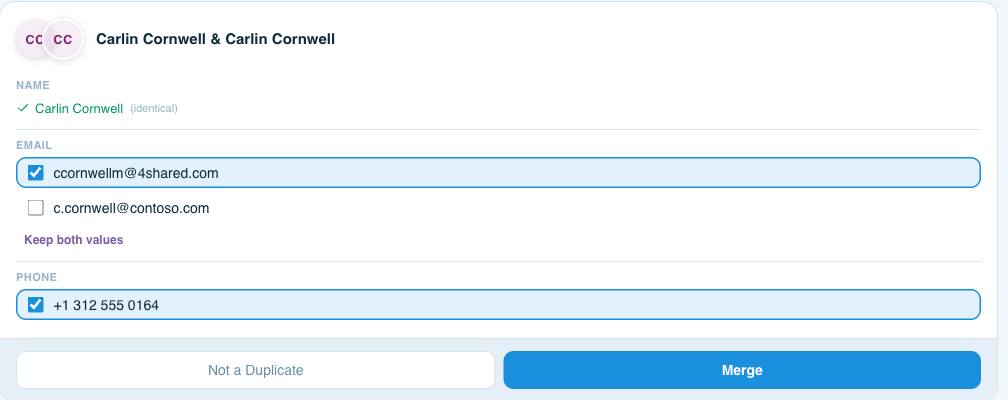
Clients rarely live in one place. Some are in a Gmail account, some in iCloud, some only on your phone. Connect those as well and they land in the same list. New Outlook and Outlook on the web hide duplicates rather than merging them. ContactsPlus Premium finds the same person across every connected account, Google and iCloud included, and lets you pick which details to keep. How Outlook contacts sync works · Duplicate Outlook contacts
Deals
Every deal sits on the client it belongs to
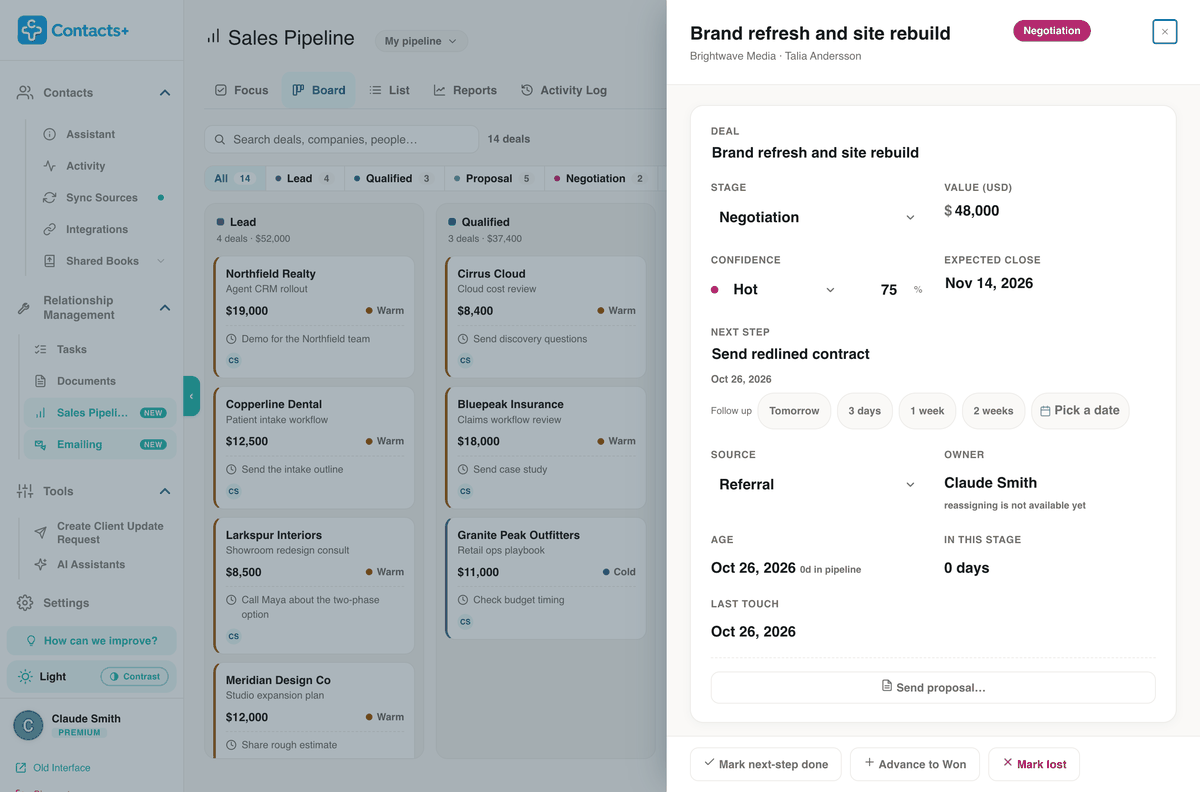
A deal records its value and a stage: Lead, Qualified, Proposal, Negotiation, then Won or Lost. It also holds how confident you are, when you expect it to close and the one next step you owe, with its date. Focus groups those steps as overdue, due today and due this week, which makes a decent first screen of the morning.
If your deals are in an Excel sheet today, import it and each row is matched to its contact. A proposal sent from the deal is logged on it, and Reports show win rate, deal size and a weighted forecast. How deals work in Sales Pipeline
Written in ContactsPlus, sent from your Outlook address
Write to one client, or send a personal copy to everyone on a saved list, with names and companies filled in from each record. The email goes out through your Outlook.com, Microsoft 365 or Exchange Online mailbox, so it comes from your address and a copy sits in Sent Items.
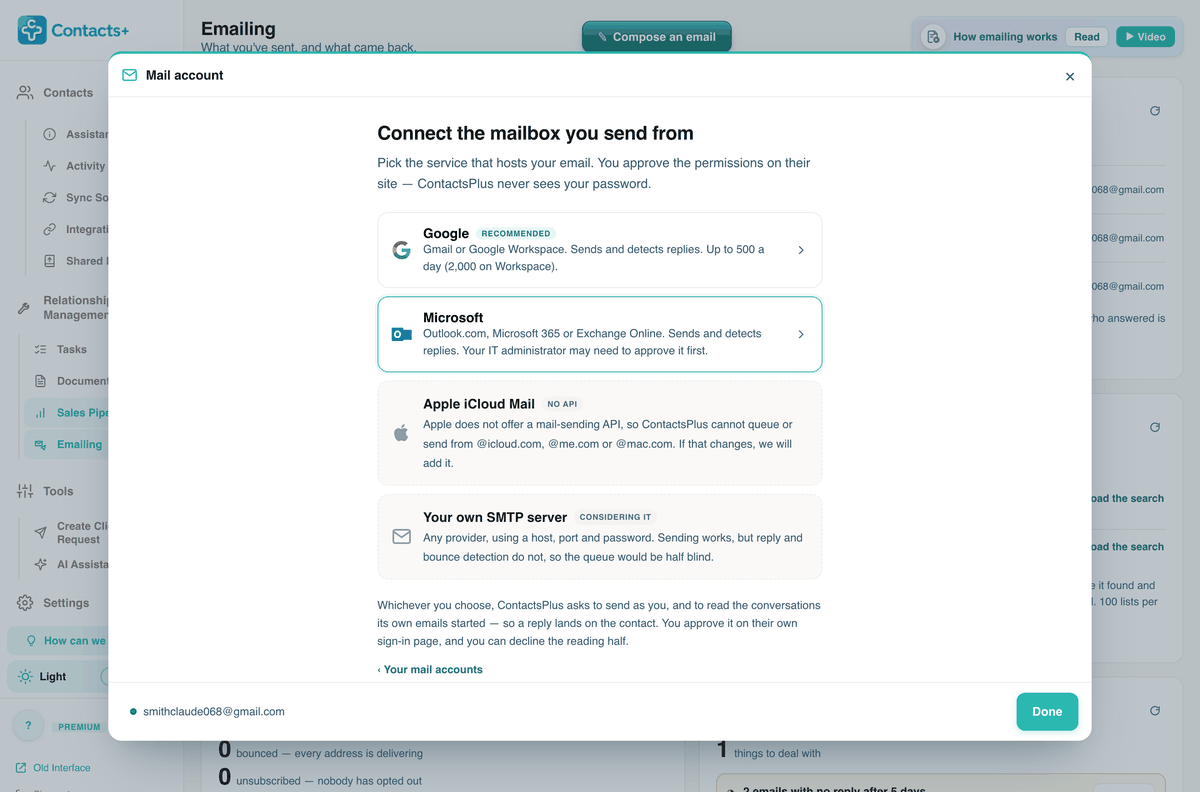
If you let ContactsPlus read replies, a client’s answer stays in your Outlook inbox and is noted on their record too, and anything else you’d queued to them waits. You can also connect the mailbox for sending only. Lists go out at a pace you choose, 250 a day by default, inside the limits Microsoft puts on your mailbox. Mail merge with your Outlook account
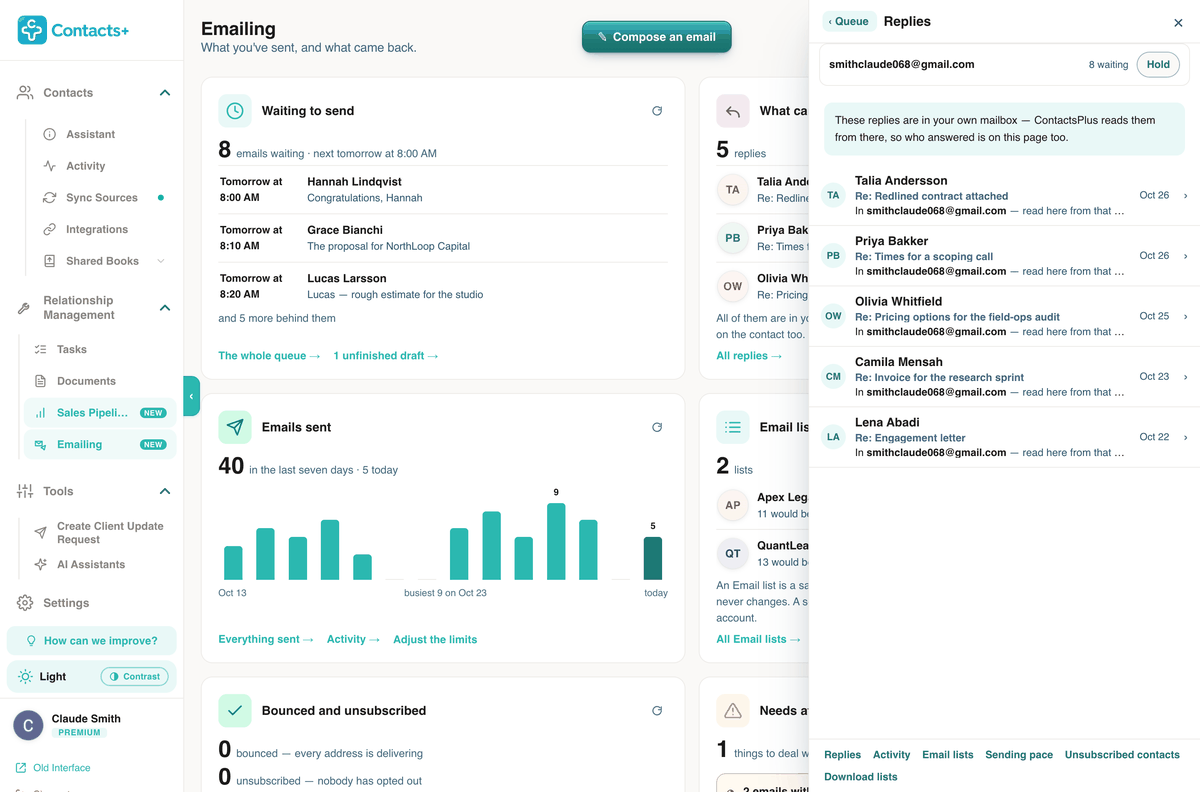
Shown with a Gmail mailbox. Connect Outlook and replies are read from your Outlook mailbox.
Follow-ups and files
The rest of the client, in one place
Follow-ups in your Outlook calendar
Give a client a task with a due date and ContactsPlus reminds you. Connect your Outlook calendar, personal or work, and tasks with a due time are pushed there as events by default. The push runs one way, from ContactsPlus to the calendar. Follow-up reminders
Files on the client’s record
Attach the signed quote or the contract to the person it belongs to, so it’s already open when they call. Premium includes 10 GB of storage. Attaching files to contacts
How it connects
Alongside Outlook,
not inside it
There’s no ContactsPlus add-in for Outlook. It’s a web app, with apps for iOS and Android, that connects to your Microsoft account directly.
Approved on Microsoft’s own sign-in page
Contacts and the mailbox are connected separately, each from its own screen, and both times you sign in on Microsoft’s page. ContactsPlus never sees your password. Microsoft 365 lets an organisation restrict which apps its people can approve, so a work or school account may need your IT team to say yes first.
Because the connection is to the account rather than to the Outlook app on your computer, it doesn’t depend on which Outlook you open. What matters is that your contacts and mail are stored in the Microsoft account, not in a file on one computer. The trade-off is that a deal’s stage won’t appear in the Outlook reading pane. You look the client up in ContactsPlus, in another tab or on your phone.
Who it suits
For selling to one client at a time
Think of a consultant, an agency, a contractor or a sales team of three. Work arrives one conversation at a time. You write to a client because you know them, and the next email depends on what they said in the last one.
That’s the job ContactsPlus is built around. Email leaves from your own mailbox at a pace you set, and the answer lands on the record beside the deal and the task. If what you need is a designed newsletter to thousands of subscribers, an email marketing tool will serve you better.
The cost
What you’d pay
Premium is $9.99 a month billed annually, which is $119.88 for the year, or $13.99 if you pay month to month. Sales Pipeline, Emailing, Tasks and Documents are all part of it, along with five accounts synced about every 15 minutes, 25,000 contacts and duplicate merging.
Teams costs $12.99 per user a month on annual billing, adding a shared address book for up to 50 people. The free plan syncs one account and up to 1,000 contacts. Its trial of the pipeline and Emailing stops at 3 deals and 20 emails in total. The pricing page has every feature by plan.
Questions
Before you connect Outlook
Can Outlook be used as a CRM?
For a short client list, partly. Outlook keeps notes on a contact, groups people with categories and contact lists, and reminds you about flagged emails. What it lacks is a built-in deal record, holding a value, a stage and a dated next step together for each client. ContactsPlus adds that part without taking your email out of Outlook.
Is there a ContactsPlus add-in for Outlook?
No. ContactsPlus doesn’t install into Outlook. It connects to your Microsoft account from the web and from the iOS and Android apps. You won’t see a deal’s stage in the Outlook reading pane. In exchange there’s nothing to install on each computer.
Does it work with Microsoft 365 and Exchange Online?
Yes. Contacts connect through the Outlook / Microsoft 365 sync source, and email can be sent from an Outlook.com, Microsoft 365 or Exchange Online mailbox. Organisations can limit which apps their people are allowed to approve, so on a work account your IT team may have to approve ContactsPlus before it connects.
Will ContactsPlus change my Outlook contacts?
Not unless you ask it to. A new account starts on Pull in, which only reads from Outlook. Choose two-way sync and an edit made in either place shows up in the other. Choose Push out and ContactsPlus sends its cleaned-up list to that account. The setting can be changed later.
Can I use Gmail and iCloud as well?
Yes. Contacts from Google, iCloud and Outlook end up in one list, and a Gmail or Google Workspace mailbox can sit beside Outlook, with the sender picked per email. iCloud Mail is the exception for sending, since Apple doesn’t offer a mail-sending API for other apps.
How much does ContactsPlus cost?
Premium is $9.99 a month billed annually, or $13.99 paid monthly, and Teams costs $12.99 per user a month on annual billing. Sales Pipeline and Emailing come with Premium and Teams. The free plan syncs one account and up to 1,000 contacts, and its trial of both stops at 3 deals and 20 emails in total. The pricing page lists every feature by plan.
Your Outlook clients,
with their deals
Connect your Microsoft account, then add the deals you’re working on.
Get started