







Android, Samsung & Pixel
Merge duplicate contacts on Android
Android splits the job in two: Google Contacts has its own merge tool, and Samsung phones layer a second one on top in their own Contacts app. Both are good at cleaning up the account or phone they can see — and blind to the copy of the same person sitting in iCloud or Outlook. Whether you're on a Pixel, a Galaxy S24, or anything else running Android, the shape of the problem is the same.
Free to start — duplicate detection & merge is on Premium
The built-in route
How to merge duplicate contacts on Android
Start here — it's free, and between the two apps it covers most of what a Pixel or Galaxy phone can see on its own.
Know which app has the duplicates
Stock Android and Pixel phones use the Google Contacts app. Samsung phones also carry their own Contacts app under One UI — and it usually needs its own pass.
Google Contacts (any Android, incl. Pixel)
Select the Google Account with the duplicates, then tap Fix & manage → Merge & fix → Merge duplicates. If the option isn't shown, Google hasn't found any in that account.
Samsung Contacts app (Galaxy, S24 and others)
Open Contacts → the menu icon → Manage contacts → Merge contacts. Duplicates are grouped by Number, Email and Name — pick a group, tick the entries, tap Merge.
Check your other accounts
Both tools only see what's already on this phone. If the same person also lives in iCloud or an Outlook account you don't sync here, that copy is untouched — and it'll come back.
Google can't merge contacts saved in different Google Accounts, so a phone signed in to a personal and a work account needs Merge & fix run on each one separately. Samsung's own support page says duplicates usually come from syncing contacts from multiple sources — the same cross-account problem, in different words. Neither app tells you about the other, so it's easy to run Google's tool, see a clean list, and not realise the Samsung side (or a completely different provider) still has copies of the same people.
Where the built-in tools stop
Both Android tools stop at the account they can see
Same shape as everywhere else: genuinely capable inside their own account or device, and blind to anything outside it. Knowing where each one draws the line is what tells you whether you're actually done or just done with the easy half.
Merge & fix — capable, and account-bound
It scans for matching names, phone numbers and email addresses inside the Google account you pick, proposes pairs, and merges them individually or all at once. It genuinely combines the records rather than hiding one. But it only reads that one account at a time — a person who also lives in iCloud or Outlook is half-invisible to it, and the half it can't see is the half that keeps coming back.
Merges on-device, not across accounts
Samsung's own Contacts app groups duplicates by Number, Email and Name and merges the group you pick. It's a genuinely useful second pass on top of Google's, and it's worth running even after Merge & fix — but it only sees what's already on the phone, so the same account-bound gap applies.
Untouched by either Android tool
Neither Google Contacts nor Samsung's app can see an account they're not connected to. A contact living only in iCloud, or in an Outlook account you haven't added to the phone, stays a separate, unmerged copy.
Between them, Google Contacts and Samsung's app clean up everything already on the phone — but the copy sitting in iCloud or Outlook is invisible to both, and it's the one that keeps coming back.
The part neither app can do
Merge across Google, iCloud and Outlook together
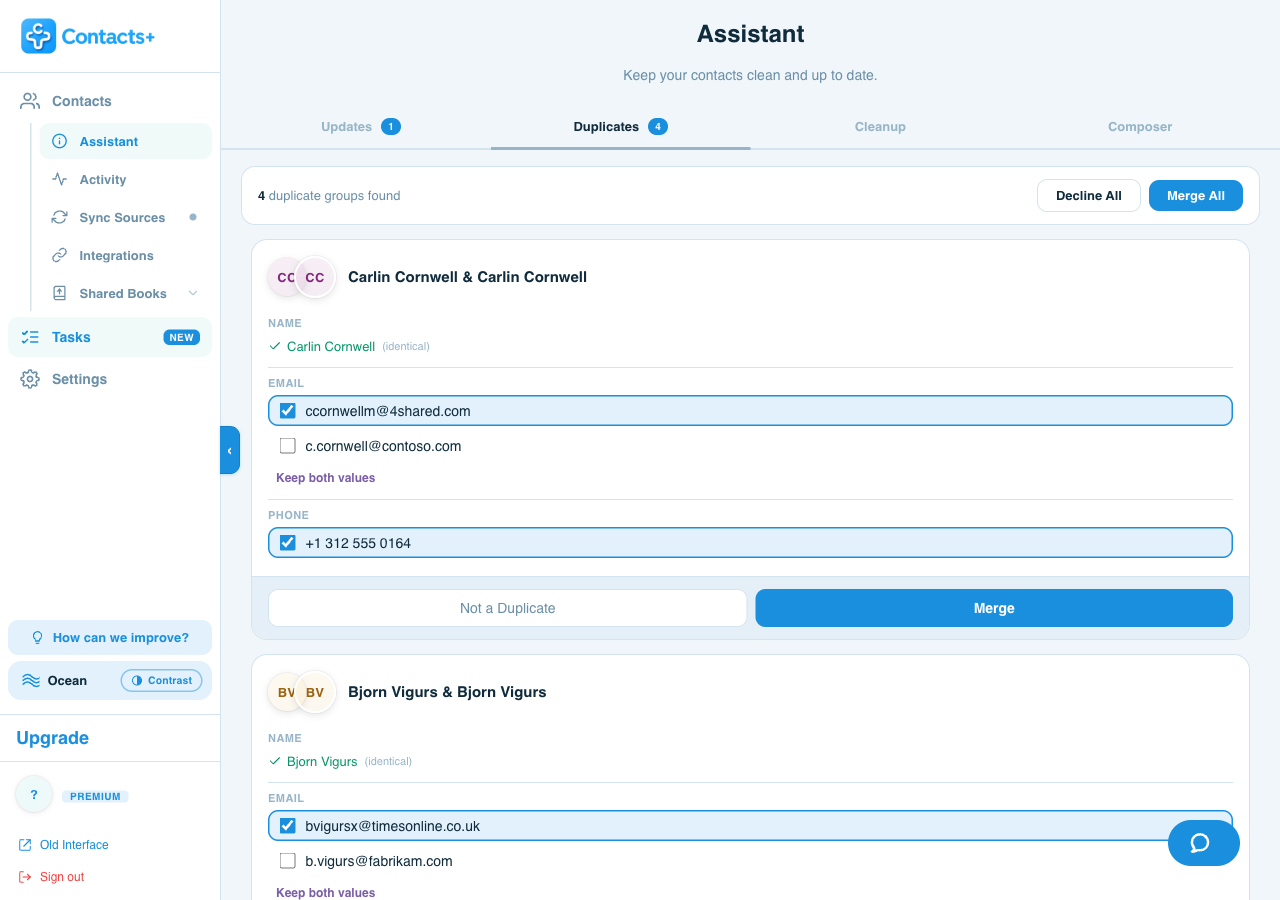
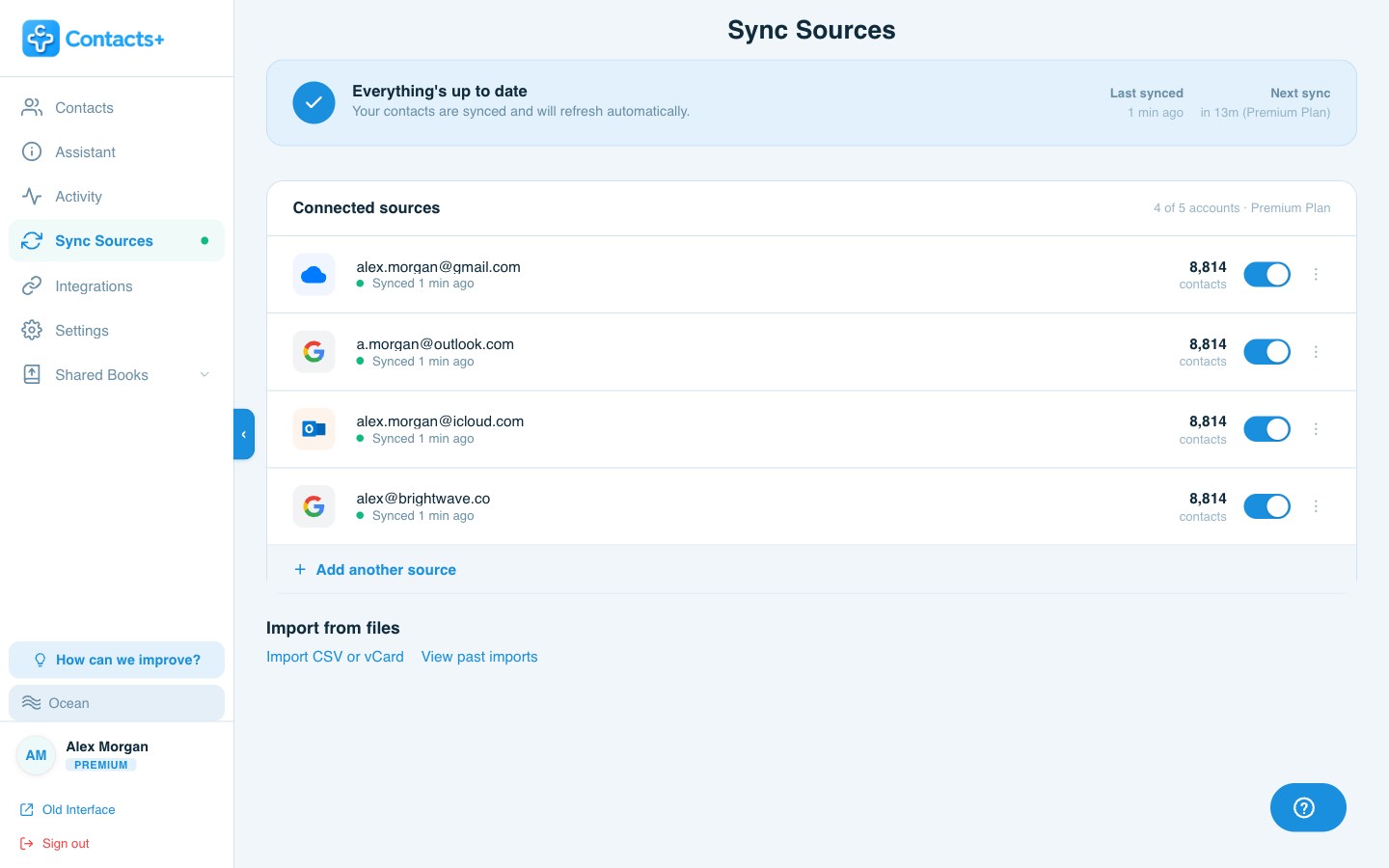
ContactsPlus connects to all three natively and looks for duplicates across them at the same time — including the ones that span two providers, which is where most of them actually live. You review each group field by field and decide what survives, rather than trusting an automatic merge to guess correctly.
- Reads your Google account and iCloud and Microsoft, in one pass
- Finds the duplicate that Google Contacts and Samsung's app both miss — the one that spans two different providers
- Shows the conflict per field, with Keep both values where a work and personal number both matter
- Syncs back out to your phone, including the native ContactsPlus Android app — not just the web
The difference, plainly: Merge & fix and Samsung's merge tool both ask “are these two contacts on this phone the same person?” ContactsPlus asks “is this the same person anywhere I keep contacts?” Only the second question fixes a duplicate that spans providers.
FAQ
Frequently asked questions
Why do I have duplicate contacts on Android?
Usually because more than one account is syncing the same people onto the phone. A Pixel or Galaxy signed in to a personal and a work Google account shows both copies, and Samsung's own Contacts app adds a second source on top of that. Merge and fix and Samsung's merge tool both clean up what they can see, but a copy sitting in iCloud or Outlook is invisible to either one and comes back on the next sync. Deleting the extra copy on the phone doesn't touch the others, so the next sync brings it straight back.
How do I merge two contacts on Samsung?
Open Contacts, tap the menu icon, then Manage contacts, then Merge contacts. Samsung groups likely duplicates by Number, Email and Name, so pick a group, tick the ones that are the same person, and tap Merge. Samsung's own support page notes that duplicates usually come from syncing contacts from multiple sources, which is the same cross-account problem in different words.
Can I undo a merge on Android?
Only in a blunt way. In Google Contacts, Settings then Undo changes rolls your whole Google list back to a point in the last 30 days, which reverses a merge but also every other change since. Samsung's Contacts app has no undo for a merge, though its Recycle bin keeps deleted contacts for 30 days. ContactsPlus records every merge in your activity history and lets you unmerge just that one. Premium keeps six months of that history, the free plan keeps 30 days.
How do I merge duplicate contacts across Google, iCloud and Outlook on Android?
You need something that can see every account at once. ContactsPlus connects Google Contacts, iCloud and Microsoft or Outlook natively, finds duplicates across all of them together, and shows you every field where the records disagree so you choose what to keep. It syncs back to your phone too, including the native ContactsPlus Android app, so the merged record is what you see everywhere. Many CRMs and contact apps can only clean the account or device they're installed on.
Clean up all of it — not just what's on the phone.
Merge across every account you own, and keep them merged.